Preview image. Unlock full-res
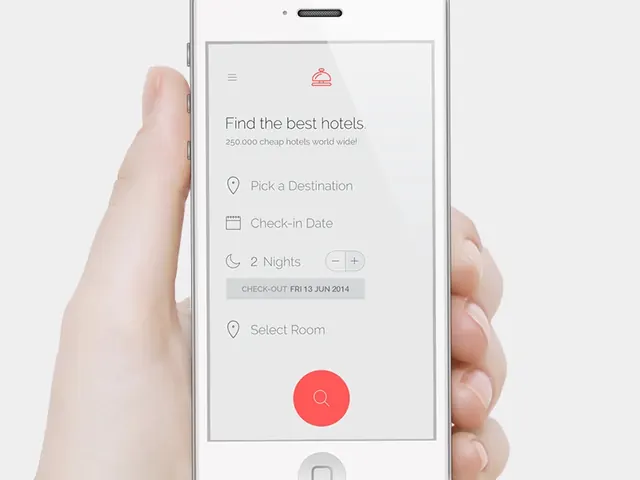
A mobile interface mockup showing a hotel search form with destination picker, date inputs, and a prominent red search button.
Summary
A hotel booking app form displayed on a mobile device mockup with input fields for destination, dates, room selection, and a large red search button.
Visual description
A silver smartphone held in hand displays a clean form interface. The screen has a title "Find the best hotels" with a subheading "250,000 cheap hotels world wide!" A small pink hotel icon sits above. Below are stacked form fields: Pick a Destination (with location pin icon), Check-in Date (calendar icon), 2 Nights counter with +/- buttons, a gray "CHECK-OUT FRI 13 JUN 2014" button, and Select Room (location pin icon). At the bottom is a large red circular button with a magnifying glass icon. The interface uses neutral colors with the red button as the focal point.
Key takeaway
A large, contrasting CTA button in warm coral/red stands out against a neutral form—the color attracts attention without overwhelming the minimal interface.
Reuse notes
Good reference for travel booking flows, hotel or accommodation search interfaces. The stepped form layout with prominent CTA works well for mobile-first experiences.