Preview image. Unlock full-res
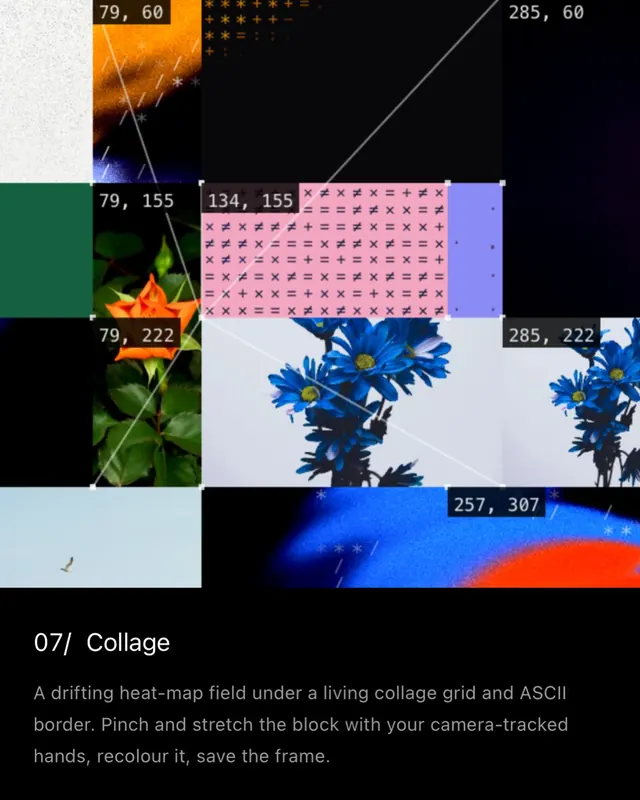
Interactive digital art piece combining collage grid, procedural filters, and camera-tracked hand gesture controls; multiple stills from video interaction.

Summary
An interactive digital art tool combining a dynamic collage grid, procedural color filters, and real-time camera-tracked hand gestures to create, stretch, recolor, and capture generated compositions. The stills shown are frames from the live interaction, demonstrating the UI, gesture mappings, and resulting visual states.
Visual description
Slide 1 (video frame): Collage grid with torn flower photos, solid color blocks (yellow, blue, orange, pink), ASCII/dotted patterns, and gradient overlays. Visible texture brushes and color transition overlays. Slide 2: Close-up of the grid with controls panel below showing "CAMERA: ON" and gesture labels ("PINCH A HAND TO GRAB A CORNER", "MOVE HANDS TO STRETCH THE BLOCK", "LET GO TO LEAVE IT WHERE IT IS"). A person's face visible in the webcam preview within the control panel. Slides 3-6: Various states of the collage as interactions proceed-blocks repositioned, colors shifted (warm to cool), ASCII patterns prominent, flowers and sky fragments reassembled. The interaction creates emergent compositions that blend organic (photography) and digital (filters, geometry) elements.
Key takeaway
The camera-tracking interaction model transforms passive composition into a playful, embodied creative act. The blend of procedural color filtering, collage grid re-arrangement, and hand-gesture input demonstrates accessible creative tooling. The visual clarity of the gesture labels within the interface makes the interaction intuitive and discoverable.
Reuse notes
Ideal reference for interactive art experiences, gesture-based UIs, or real-time generative art projects. The combination of organic photography with procedural color transformation works well for artistic portfolios or experimental design showcases. Note that the interaction is the primary innovation, not the static visual output-reusing this requires interactive prototyping, not just visual design.
From this post: Interactive collage with camera-tracking gesture interface
View post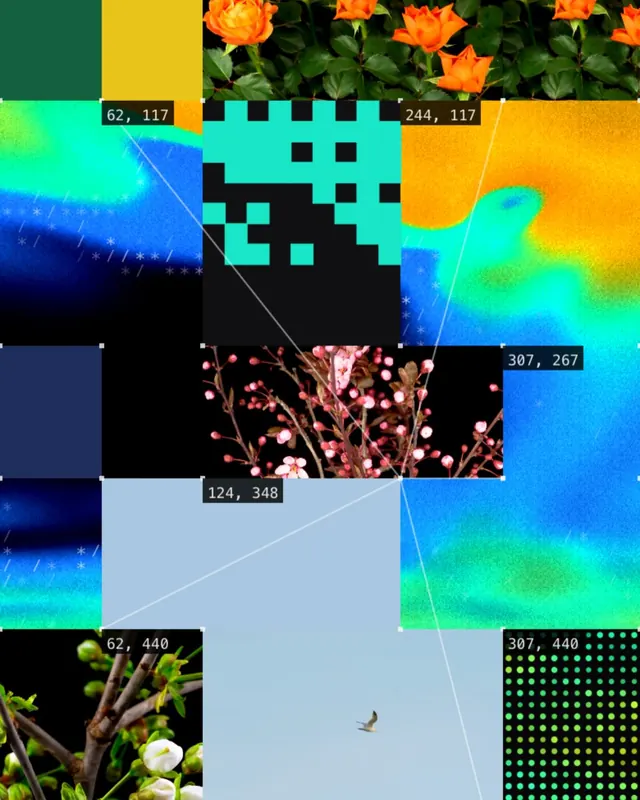
More like this
Keep what you find
A free account saves references to boards and can send you a weekly email of picks based on what you save.
To see every result, go Pro.