Preview image. Unlock full-res
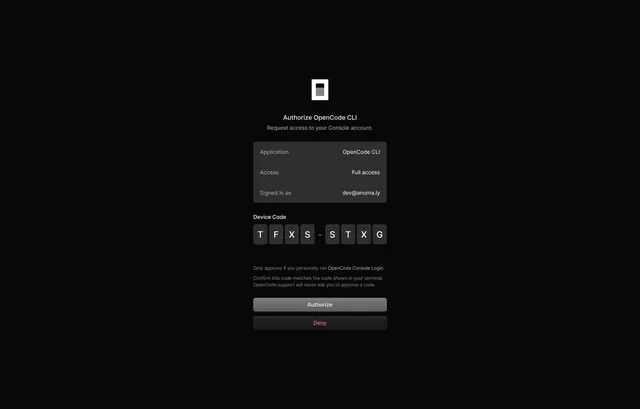
A set of dark mode authentication screens for OpenCode Console covering login, sign-up, and CLI device authorization, featuring clean form layouts on a pure black background.
More like this
See all

Summary
A set of dark mode authentication screens for OpenCode Console covering login, sign-up, and CLI device authorization, featuring clean form layouts on a pure black background.
Visual description
A pure black full-screen authorization dialog centers a white icon at the top, followed by the heading 'Authorize OpenCode CLI' and subheading about console access. A dark gray table displays three rows showing application name, access level, and signed-in email. A 'Device Code' section displays the verification code in monospaced letter blocks. Two full-width buttons sit at the bottom: a gray 'Authorize' button and a darker 'Deny' button rendered in red text.
Key takeaway
Using row-based table layouts for structured authorization details makes access scope immediately scannable; strategic color contrast between the primary action and destructive action guides users without visual urgency or alarm.
Reuse notes
Reach for this as a ui screen reference. Pairs with minimal, clean directions. Original by Ludvig Rask.