Preview image. Unlock full-res
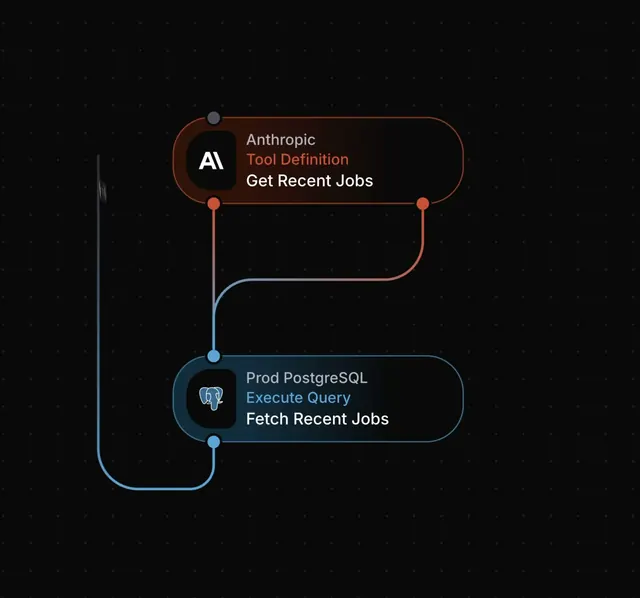
A microinteraction study showing how block-to-block connections animate and route between nodes in a dark workflow canvas UI, covering connected, looped, and disconnected states.
More like this
See all
Summary
A microinteraction study showing how block-to-block connections animate and route between nodes in a dark workflow canvas UI, covering connected, looped, and disconnected states.
Visual description
Two rounded rectangle nodes sit on a nearly black background dotted with subtle stars. The top node has an orange-rust border, the bottom a cool blue border, each containing an icon and layered text labels. Curved connection lines in matching colors run between the nodes, meeting at circular junction points, forming a flowing workflow diagram with chromatic edge styling.
Key takeaway
Use complementary neon accent colors (orange and blue) on connection lines and node borders to separate workflow branches visually. The bent connectors with circle junction points create a technical yet readable block diagram.
Reuse notes
Reach for this as a ui screen reference. Pairs with minimal directions. Original by Arek.