Preview image. Unlock full-res
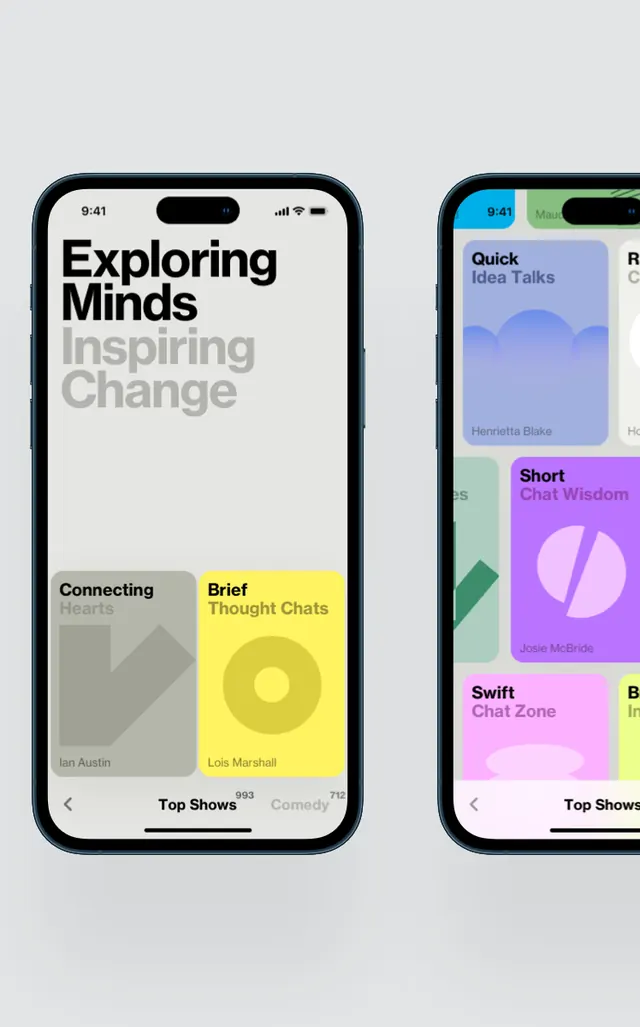
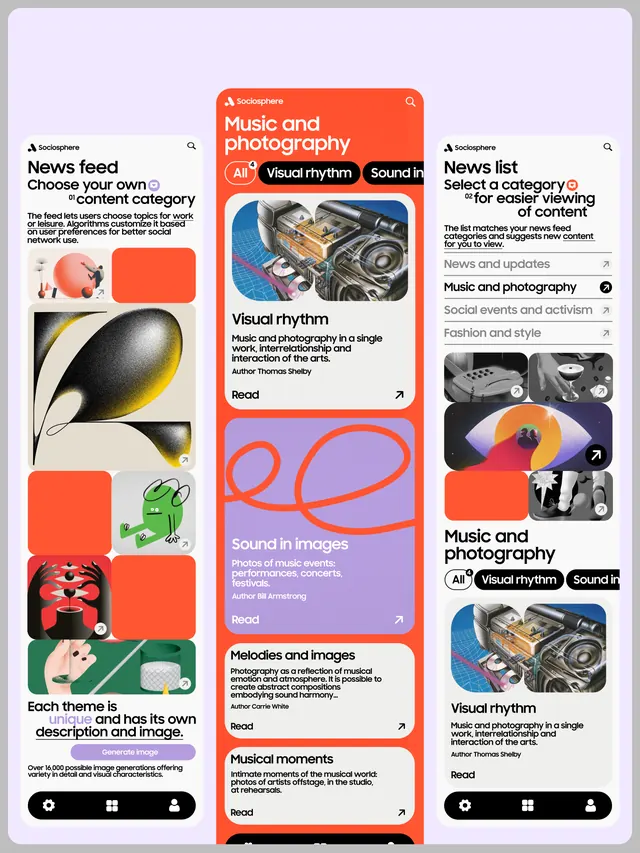
Mobile app interface with asymmetric card grid, bold orange and purple color blocking, and thematic content categories for music, photography, and visual rhythm.
Summary
Mobile interface showing three side-by-side tabbed columns with bold orange and soft-purple color blocking, nested content categories like "Music and Photography" and "Visual Rhythm," and modular card layouts mixing feature images and text.
Visual description
Three vertically scrollable mobile screens arranged horizontally display interconnected content. The leftmost screen shows a "News feed" tab with a grid of square and rectangular image cards in bright orange, purple, and black. The center screen features a larger focus area for "Music and photography" at the top with bold orange tabs and links like "Visual rhythm" and "Sound in images" followed by expandable category cards in lavender and soft pink. Each card contains a thematic image and descriptive text. The rightmost screen mirrors the left layout with a "News list" tab and similar modular cards. A floating navigation bar at the bottom in dark tones provides icon-based controls. Bold sans-serif type hierarchies in uppercase headings contrasted with smaller body text. Color coding by category creates visual rhythm across the interface.
Key takeaway
The bold, unapologetic color palette energizes the experience without becoming chaotic. Mixing full-width and half-width cards in an asymmetric grid creates visual interest while maintaining scannability. The tabbed structure allows exploration without overwhelming single screens. Category badges in contrasting colors make navigation instinctive.
Reuse notes
Excellent for content-discovery apps, music or media platforms, and social experiences targeting younger audiences. The playful color blocking works best with photo-heavy content. High contrast between cards and backgrounds ensures readability on mobile. Consider using this approach when you need to showcase multiple content types in one view while encouraging exploration.