Preview image. Unlock full-res
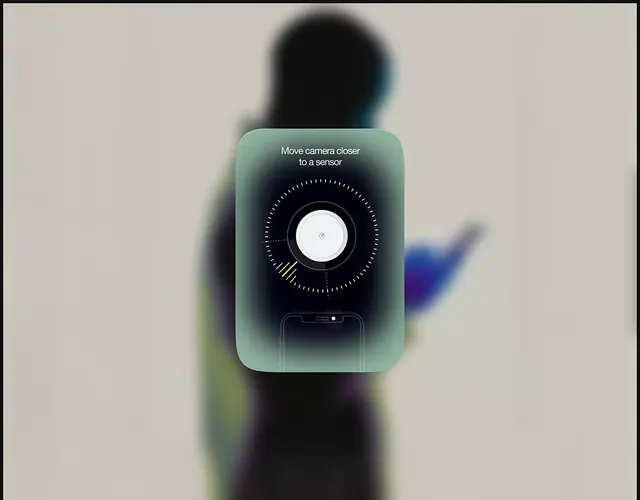
Mobile app screen with teal gradient panel containing a large circular sensor diagram and instructional text overlay, set against blurred background.
Summary
Mobile app screen with teal gradient panel containing a large circular sensor diagram and instructional text overlay, set against blurred background.
Visual description
A smartphone centered on a soft, blurred photographic background (person in motion). The app displays a frosted-glass panel with a teal-to-dark gradient anchored at the center of the viewport. The panel holds a single instruction in white sans-serif at the top (Move camera closer to a sensor), below which is a large circular diagram with a white center dot, concentric rings marked with tick marks, a yellow accent bar on one quarter, and dotted radial lines. The phone outline is faintly visible below the diagram, maintaining compositional coherence.
Key takeaway
A glassmorphic panel with precise circular UI as the focal point, guiding user attention via clear typography + visual hierarchy. The concentric-ring + accent-bar pattern is both functional (shows progress or direction) and minimalist. Blurred environmental photography behind the UI adds depth without competing for attention.
Reuse notes
Ideal for hardware/mobile apps that require step-by-step instruction or sensor calibration flows. The glassmorphic treatment works on photographic backgrounds. Pairs well with instructional overlays and onboarding sequences. Center the high-information diagram to anchor the composition.
More like this



Keep what you find
A free account saves references to boards and can send you a weekly email of picks based on what you save.
To see every result, go Pro.