Preview image. Unlock full-res
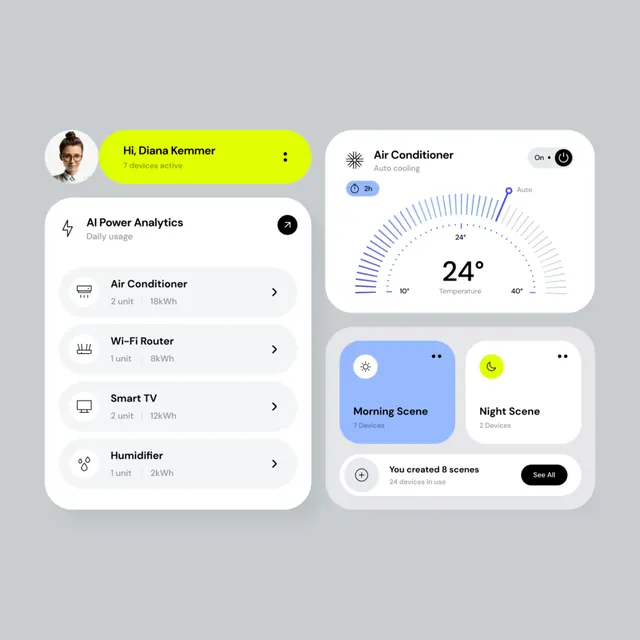
A two-panel smart home interface: left side lists active devices with energy usage, right side features a large temperature gauge and scene shortcuts.
Summary
A two-column smart home control interface where the left panel shows device lists with usage stats and the right side dominates with a large temperature dial, scene toggles, and a user profile header.
Visual description
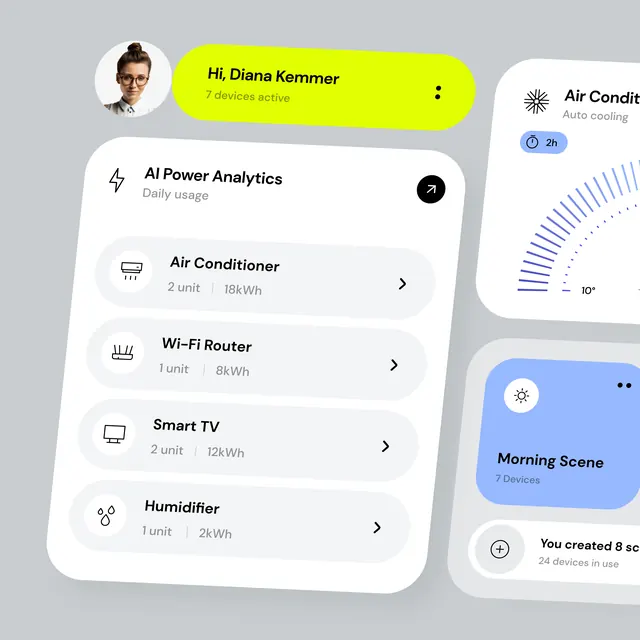
Left column: a light-gray background with a user avatar and lime-green pill header ("Hi, Diana Kemmer, 7 devices active"), followed by an "AI Power Analytics" card listing four device types (Air Conditioner, Wi-Fi Router, Smart TV, Humidifier) with power specs. Right column: white rounded cards against the same gray background. The top-right card shows a large circular gauge displaying 24 degrees (temperature) with concentric blue rings and a slider. Below are two scene cards: "Morning Scene" (blue background, 7 devices) and "Night Scene" (white, 2 devices). A bottom card states "You created 8 scenes, 24 devices in use" with a "See All" button. All cards use heavy border-radius for a soft, approachable feel.
Key takeaway
The temperature gauge design: concentric rings with a directional slider and large number create intuitive, at-a-glance reading. The scene cards are grouped and color-coded (blue/white) for clear status distinction. Left-right asymmetry works: the narrow list supports content scanning while the wide right panel handles detailed controls.
Reuse notes
Ideal for IoT dashboards, home automation apps, and climate-control interfaces. The lime-yellow accent pops enough to draw attention without overwhelming the calm palette. Works well for both mobile and tablet layouts. The profile pill at top establishes context quickly.
More like this




Keep what you find
A free account saves references to boards and can send you a weekly email of picks based on what you save.
To see every result, go Pro.