Preview image. Unlock full-res
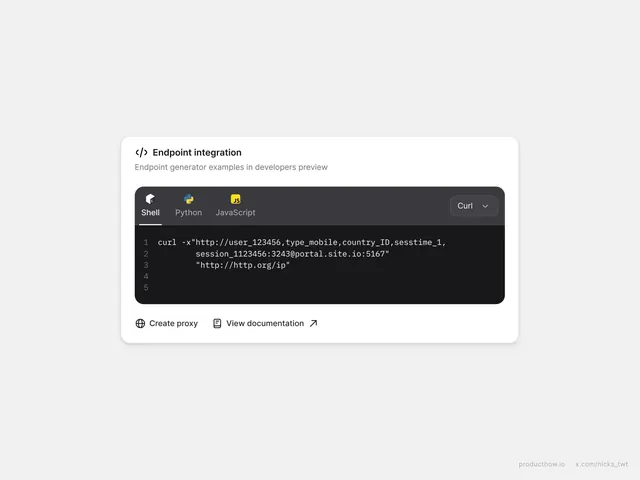
Light card displaying an endpoint generator with syntax-highlighted code in three languages (Shell, Python, JavaScript) and action buttons below.
Summary
A developer documentation card showing an API endpoint with syntax-highlighted code examples in three languages, arranged in a clean tabbed interface on a light background.
Visual description
Light gray background containing a white card with rounded corners. The card's heading reads "Endpoint integration" with descriptive text "Endpoint generator examples in developers preview". Below is a dark gray code block with three language tabs (Shell, Python, JavaScript) and a Curl dropdown at top right. The code area shows a multi-line curl command in light monospace type with syntax highlighting. Two action buttons sit beneath the code block: "Create proxy" with a globe icon and "View documentation" with an external-link arrow. The overall treatment emphasizes clarity and minimal visual noise.
Key takeaway
The tabbed language switcher makes code reusable across developer audiences without duplicating the card. The monospace/sans-serif pairing (code below heading) creates quick visual scanning. Pairing an action button with a secondary "documentation" link reduces cognitive load versus a single CTA.
Reuse notes
Ideal for developer-tool SaaS landing pages, API documentation sections, or onboarding flows. Works well paired with other functional graphics. Requires legible code samples; works best when the snippet is representative and brief.
More like this



Keep what you find
A free account saves references to boards and can send you a weekly email of picks based on what you save.
To see every result, go Pro.