Preview image. Unlock full-res
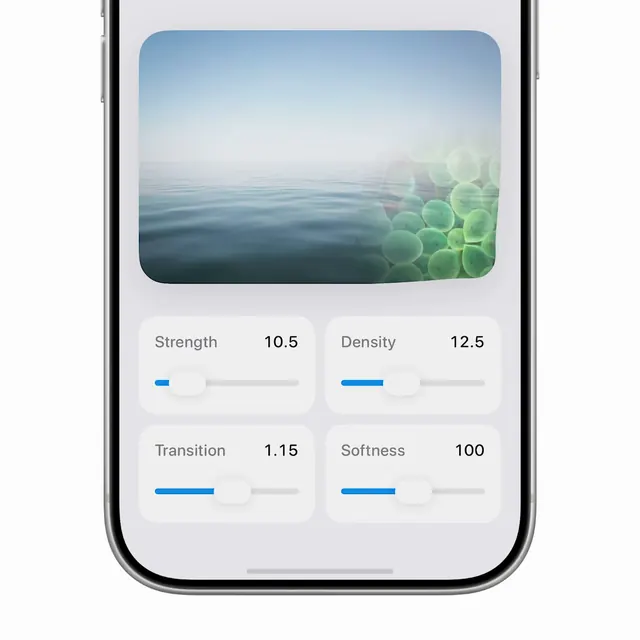
A SwiftUI experiment exploring a customizable ripple transition effect between images, with real-time controls for strength, density, transition progress, and softness.
More like this
See all

Summary
A SwiftUI experiment exploring a customizable ripple transition effect between images, with real-time controls for strength, density, transition progress, and softness.
Visual description
A mobile screen preview shows a serene seascape image at the top with calm blue water fading to sky. Four parameter sliders arranged in a two-by-two grid control Strength, Density, Transition, and Softness values, each with a blue fill indicator and numeric display. The composition balances the visual preview with functional controls.
Key takeaway
Pair a preview image transition at the top of a control panel with parameter sliders arranged in a 2x2 matrix, letting users immediately see the effect of each parameter without modal dialogs.
Reuse notes
Reach for this as a motion still reference. Pairs with minimal directions. Original by Eujin.
More like this





Keep what you find
A free account saves references to boards and can send you a weekly email of picks based on what you save.
To see every result, go Pro.