Preview image. Unlock full-res
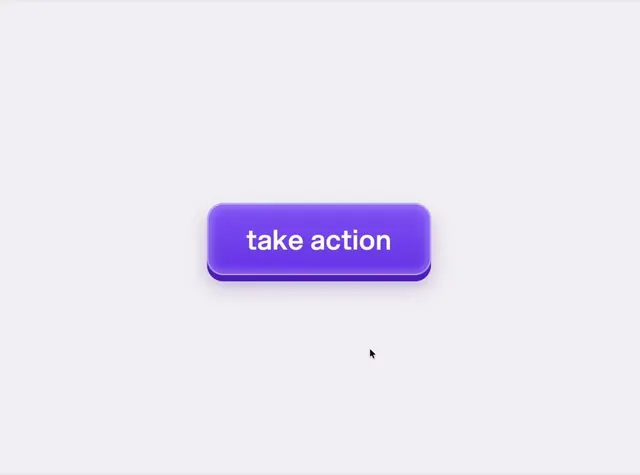
A tactile purple button microinteraction with realistic press physics, depth shading, and a glowing ripple effect on click, built in Opus 5.
More like this
See all
Summary
A tactile purple button microinteraction with realistic press physics, depth shading, and a glowing ripple effect on click, built in Opus 5.
Visual description
A single rounded-rectangle purple button with lowercase white bold text reading take action sits centered on a pale lavender-grey background. A darker purple lip along the bottom edge gives it a physical extruded depth, with a soft highlight border on top and a diffuse glow shadow beneath. A small black cursor arrow rests below and to the right, and everything else on the canvas is empty.
Key takeaway
Fake a physical key by adding a darker solid bottom edge, a light top rim and a soft colored shadow, so a press can visibly travel down into that lip. Centering one object on a flat neutral ground keeps attention on the tactile detail.
Reuse notes
Reach for this as a motion still reference. Pairs with 3d, soft ui directions. Original by Adam Unroot.design.
More like this

Keep what you find
A free account saves references to boards and can send you a weekly email of picks based on what you save.
To see every result, go Pro.