Preview image. Unlock full-res
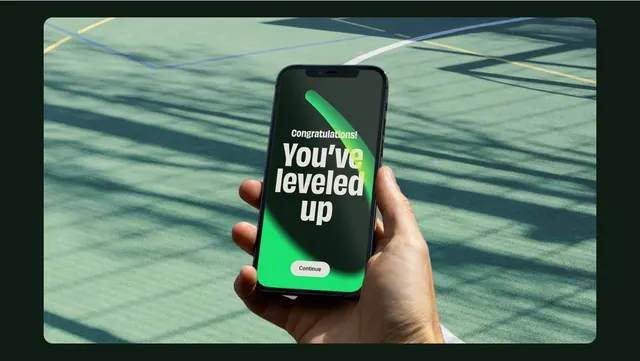
A mobile achievement screen set against dappled shadow patterns, showing a teal-green dark interface with a bright success message and minimal interaction affordances.
Summary
A mobile achievement screen set against dappled shadow patterns, showing a teal-green dark interface with a bright success message and minimal interaction affordances.
Visual description
A single iPhone mockup held in a human hand, positioned against a textured green background with strong diagonal shadow patterns cast across it. The phone screen shows a dark teal interface with centered composition. At the top, subtle gray text reads "Congratulations!" followed by large bold white display type saying "You've leveled up." Below sits a bright neon-green button labeled "Continue." A green progress arc curves above the headline. The color palette transitions from deep forest green backgrounds to olive and sage tones, with the bright lime green button providing the single point of vibrant contrast. The photographic backdrop of natural shadows and the human hand holding the device create a naturalistic context for a digital milestone moment.
Key takeaway
The photographic environmental context (hand, natural shadows, textured surface) grounds an app moment in reality and makes the achievement feel more earned and tangible. The minimal interface (just text, one button, subtle progress arc) keeps focus on the message; extra chrome would dilute the win. The single bright accent button in lime green stands out clearly against the muted teal palette and signals the obvious next action without visual noise.
Reuse notes
Ideal for fitness, wellness, productivity, or gamified apps where user milestones deserve celebration. The cool green palette works for health and growth narratives. Best suited for portrait mobile design; the photographic layer adds perceived depth and context. The large display headline requires sufficient line-height spacing for clarity on smaller screens. The bright button color commands a tap; pair with haptic feedback or sound for full impact.