Preview image. Unlock full-res
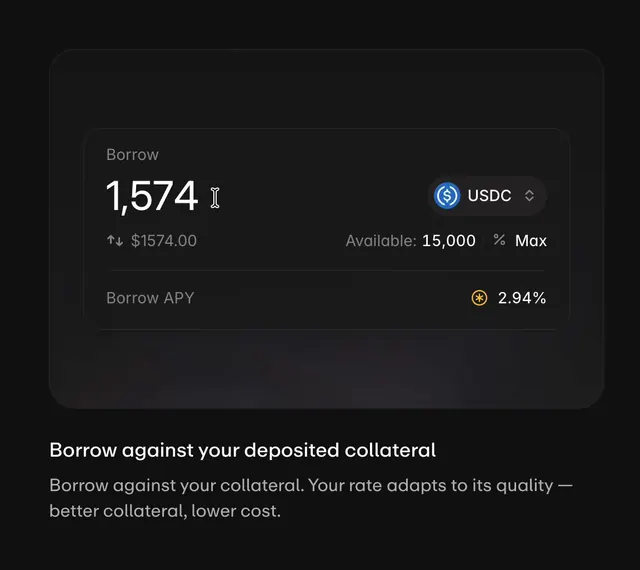
Interactive UI mockup for Aave Pro showing a dark borrow panel with live amount input, token switching between USDC, USDG, and GHO, and dynamic APY updates.
Summary
Interactive UI mockup for Aave Pro showing a dark borrow panel with live amount input, token switching between USDC, USDG, and GHO, and dynamic APY updates.
Visual description
A dark background panel features rounded corners and displays a borrow interface with clear white type hierarchy. The large amount input 1,574 sits left-aligned with a cursor caret, paired with a blue USDC token badge on the right. Supporting rows show available collateral, maximum percentage, and APY rate in muted gray labels with an orange percentage badge emphasizing the cost.
Key takeaway
Pair a token or currency badge directly with an input field in the same row to create compact hierarchy, reserving secondary details like APY and available amounts for clear, labeled rows below.
Reuse notes
Reach for this as a ui screen reference. Pairs with minimal, clean directions. Original by ana howard.