Preview image. Unlock full-res
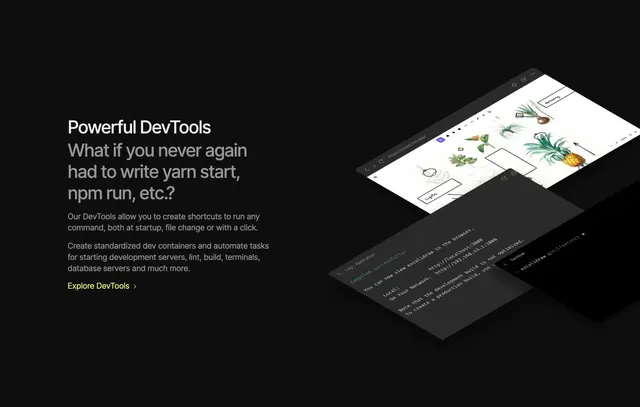
Black split section with DevTools copy left and isometric stack of browser, log, and terminal windows right.
Summary
"Powerful DevTools" feature block pairing automation copy with tilted windows showing a live app preview, compile log, and git terminal.
Visual description
Black background split roughly half text, half visuals. Left column white "Powerful DevTools" label, large gray question headline about never running yarn start again, two paragraphs on shortcuts and dev containers, and lime "Explore DevTools >" link. Right column shows three isometric windows: light browser canvas with botanical Excalidraw sketches and .csb.app URL, dark log panel with green "Compiled successfully" and localhost links, and bottom terminal showing excalidraw git branch prompt.
Key takeaway
Isometric window stack sells a workflow, not a single screenshot. Opening with a relatable dev pain question before feature bullets mirrors how engineers think.
Reuse notes
Great for IDE or platform features where multi-panel UI is the proof. Requires crisp product captures at consistent angle; weak UI art collapses the effect.