Preview image. Unlock full-res
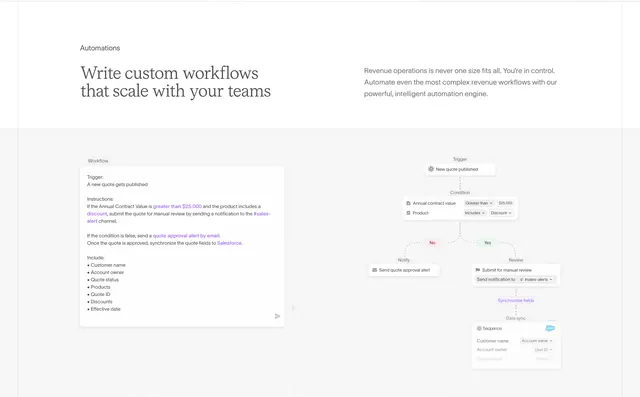
Automations feature pairing a prose workflow prompt card with a generated branching flowchart on a dashed grid.
Summary
Automations feature pairing a prose workflow prompt card with a generated branching flowchart on a dashed grid.
Visual description
Top area splits headline Write custom workflows that scale with your teams left and explanatory body copy right under a gray Automations label. Below on a dashed-line grid, a left Workflow text card shows purple-highlighted natural language rules for quote review thresholds, Slack alerts, email approval, and Salesforce sync with a bullet list of fields and a purple send icon. Right side renders the logic as a vertical flowchart with trigger, condition card, Yes and No branches, notify and review nodes, and a Sequence-to-Salesforce field mapping card.
Key takeaway
Showing prompt on the left and compiled graph on the right sells natural-language automation better than either alone. Purple highlights inside prose mirror the purple nodes in the diagram for cognitive linking.
Reuse notes
Great for workflow or ops products targeting revops teams. Pick one realistic business rule so both panels stay readable at marketing scale.