Preview image. Unlock full-res
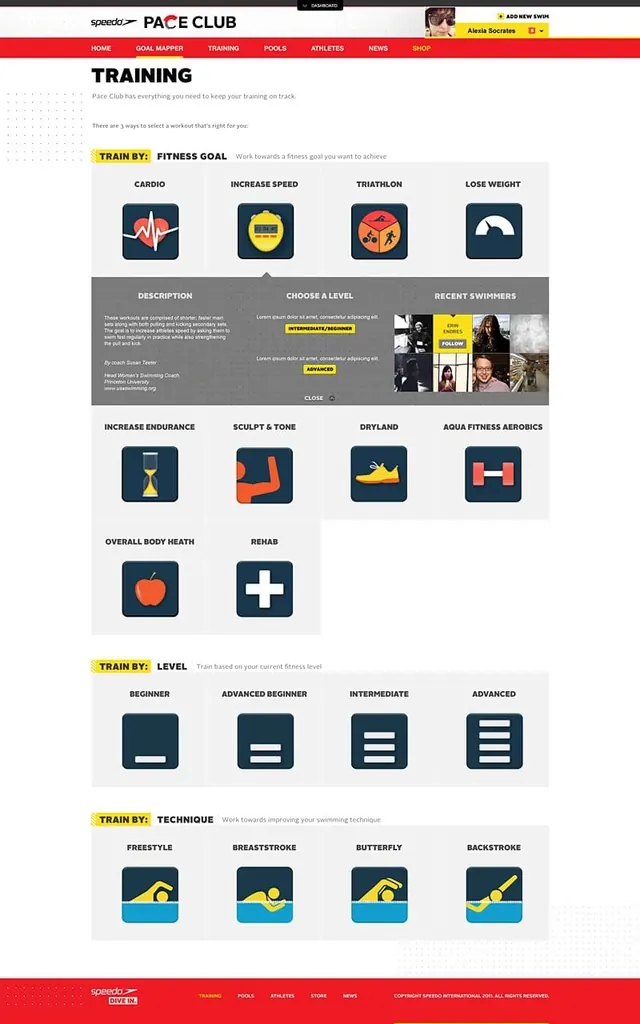
A website/app interface showing a training selection screen with multiple fitness goal options displayed as icon cards.
Summary
A mobile/web app interface for Pace Club fitness platform showing training goal options with icon-based selection cards (cardio, speed, triathlon, weight loss, etc.).
Visual description
A full-page app layout with a red header bar containing navigation links (Home, Goal Mapper, Training, Pools, Athletes, News, Shop). Below is a "TRAINING" section with a grid of colored icon cards representing different workout types (cardio with heart rate icon, speed with gauge, triathlon with dynamic figures, weight loss with gauge, endurance with sand timer, sculpt with dumbbells, dryland with shoe, aqua aerobics with dumbbell, overall body health with apple, rehab with plus sign). A section below shows fitness level options (Beginner, Advanced Beginner, Intermediate, Advanced). Training technique options appear at the bottom (Freestyle, Breaststroke, Butterfly, Backstroke). Yellow accent labels highlight primary training categories.
Key takeaway
Icon-based card layouts for categorizing fitness options. Effective use of color-coded icons and clear hierarchical structure to help users navigate complex training choices. Yellow accents provide visual emphasis for primary call-to-action areas.
Reuse notes
Suitable for fitness, wellness, or training apps needing clear, scannable option selection. The icon card pattern works well for categorizing features into digestible, action-oriented choices. The red navigation bar and color-coded labels create clear brand presence without overwhelming the interface.
More like this



Keep what you find
A free account saves references to boards and can send you a weekly email of picks based on what you save.
To see every result, go Pro.