Preview image. Unlock full-res
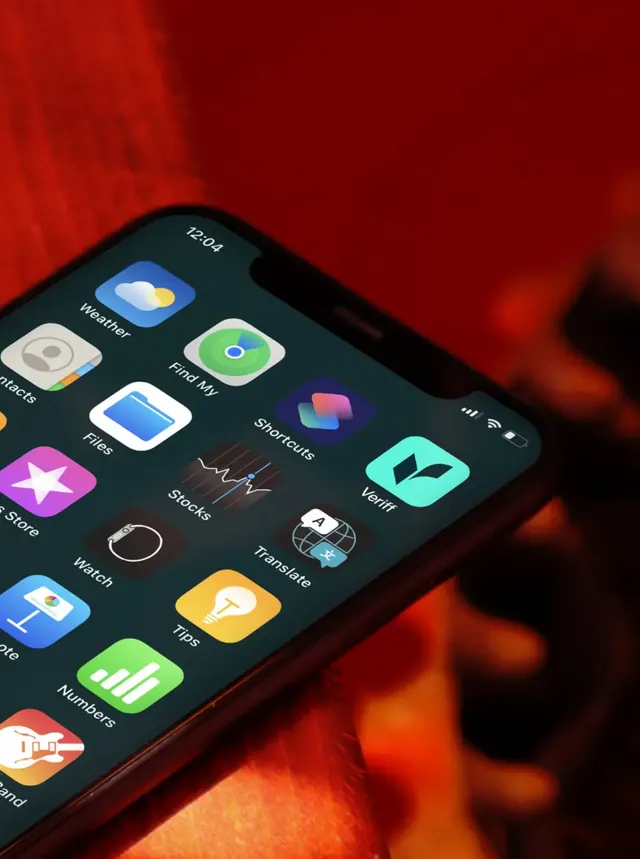
Angled photograph of a phone home screen where the mint Veriff app icon stands out among stock system icons.
More like this
See all


Summary
A single app icon presented in the wild: the brand's mint chevron on a rounded square, sitting on a dark phone home screen against a blurred red ground.
Visual description
The phone is held at a steep diagonal in the lower left of a vertical frame, its top-right corner and notch visible, screen in dark mode showing the 12:04 clock and status icons. Stock Apple icons fill the grid: Weather, Find My, Files, Shortcuts, Contacts, Stocks, Watch, Translate, Tips, Numbers and GarageBand, each with a small white label. The Veriff icon sits at the right edge of the grid, a solid mint rounded square with a dark chevron mark centered on it and "Veriff" labelled beneath. Everything behind and around the phone is an out-of-focus wash of deep red and orange, and the icons at the frame edges are cut off by the crop.
Key takeaway
Showing an icon surrounded by Apple's own icons is the honest test of whether a mark survives at 60 pixels. The saturated mint against a red ambient background is a deliberate clash that makes the one brand tile pop out of an otherwise system-grey grid.
Reuse notes
Good reference for presenting an app icon in a case study rather than as a flat tile on a slide. Only works when the mark is simple enough to hold at icon size and when the brand colour is absent from the surrounding system palette.