Preview image. Unlock full-res
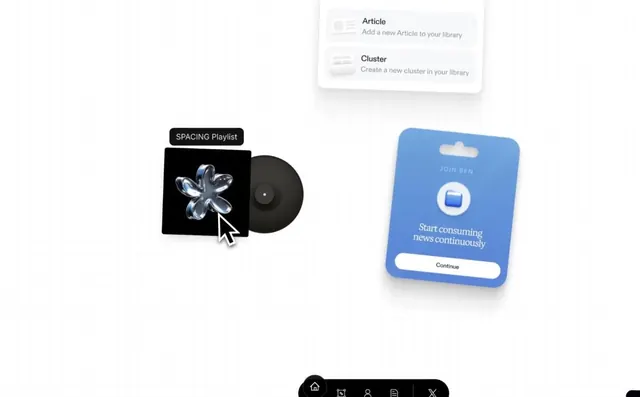
Onboarding screen with a floating card menu, 3D rendered product mockups (album art, mobile card), and a dark navigation bar.
Summary
Onboarding screen with a floating card menu, 3D rendered product mockups (vinyl album, mobile card), and a dark navigation bar for a content-curation app.
Visual description
Light gray background with soft drop shadows and generous whitespace. Top-center: two-item card menu with rounded corners, small gray icons, and sans-serif labels ("Article: Add a new Article to your library" and "Cluster: Create a new cluster in your library"). Center-left: black album sleeve mockup labeled "SPACING Playlist" with a glossy 3D vinyl record; cursor pointer overlaid. Center-right: bright blue rounded-rectangle mobile card mockup ("JOIN BEN") with white icon, headline "Start consuming news continuously", and white rounded button ("Continue"). Bottom: dark gray navigation bar with five icons (home, collections, profile, library, social). The scene uses 3D perspective and subtle shadow play to create depth on an otherwise flat interface.
Key takeaway
3D mockups rendered inline to show product context (album, mobile) without requiring actual screenshots; floating card menu for progressive disclosure of features; color accent (bright blue) constrains to one CTA, making navigation clear; dark persistent footer navigation balances a light content area.
Reuse notes
Strong for SaaS onboarding or app marketing that needs to show workflow in context. The 3D renders should match the visual scale of the UI around them; test on mobile to ensure the mockups do not dwarf the actual action items. Works best when the three visual elements (menu, left mockup, right mockup) form a loose triangle drawing the eye.