Preview image. Unlock full-res
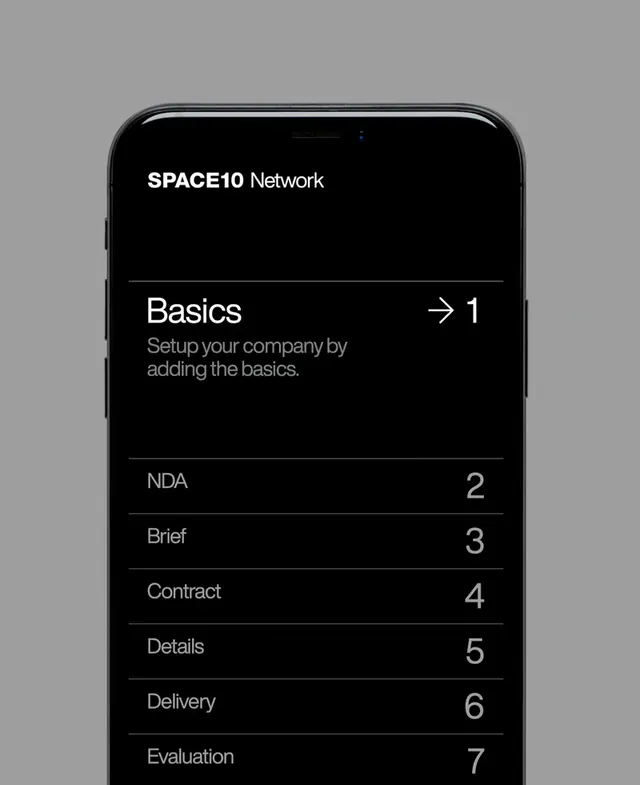
Dark-themed mobile app interface showing a numbered onboarding flow for Space10 Network company setup process with clean typography and minimal visual hierarchy.
Summary
A mobile onboarding interface for Space10 Network showing a seven-step company setup flow in dark mode with numbered navigation and descriptive labels aligned to the right of each step.
Visual description
The interface presents a vertical list of setup steps on a black screen. "Space10 Network" branding sits at the top. Below, seven labeled steps are displayed: "Basics" (step 1) with descriptive text "Setup your company by adding the basics," followed by "NDA" (2), "Brief" (3), "Contract" (4), "Details" (5), "Delivery" (6), and "Evaluation" (7). Each step is separated by a horizontal line. Step numbers are right-aligned in a lighter gray. The layout is strictly left-aligned text with right-aligned numbers. A small arrow appears next to the first step indicating it's the starting point.
Key takeaway
The power of simple numbered steps and generous vertical spacing for clarity in onboarding. Right-aligned numbers create visual balance while maintaining a clean left-to-right reading flow. Dark mode with white text on black maximizes contrast and readability on mobile screens. The brief, action-oriented descriptive labels set clear expectations for each step.
Reuse notes
Strong reference for SaaS onboarding flows, mobile app setup wizards, and complex multi-step processes. The dark theme works well for privacy-conscious products, design tools, and developer applications. The numbered approach is ideal for sequential workflows where users need to complete steps in order. Consider adding progress indication (e.g., "Step 1 of 7") for longer flows. The layout pattern scales well to both shorter (3-4 steps) and longer (10+) sequences.