Preview image. Unlock full-res
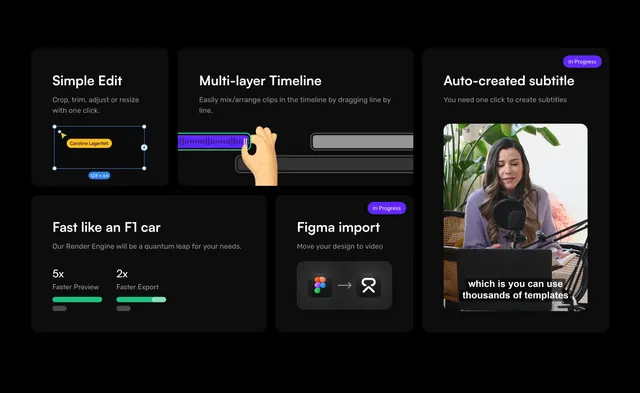
Dark bento grid showcasing five video-editing capabilities with UI mock cards, progress bars, and an in-progress subtitle demo.
Summary
A black bento layout selling Create's editing speed and workflow tools through five UI cards spanning crop, timeline, subtitles, render performance, and Figma import.
Visual description
Solid black background. Asymmetric bento grid of dark gray rounded cards. Cards show a resize bounding box with dimensions, a multi-track timeline with draggable purple waveform, a vertical video frame with auto-subtitle copy and In Progress badge, green-filled performance bars for preview and export speed, and a Figma-to-app import flow with logos. White sans-serif titles and muted gray descriptions on each tile.
Key takeaway
Mixed-size bento tiles let one card carry a tall video demo while smaller tiles handle quick stats. In Progress badges signal roadmap honesty without breaking the grid rhythm.
Reuse notes
Strong for creative SaaS or dev tools with visual product proof. Dark mode required. Each tile needs a real UI capture to avoid looking like generic placeholders.