Preview image. Unlock full-res
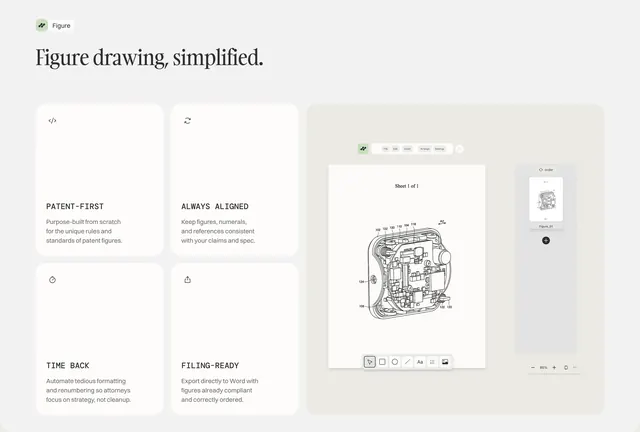
Split features section with serif headline, four benefit cards, and a large Figure patent-drawing UI mockup on the right.
Summary
Light bento layout introducing the Figure patent-drawing tool with four labeled benefit cards left and an in-app canvas mockup right.
Visual description
Warm light grey-beige background. Top left: small green Figure logo mark and wordmark, then large serif headline "Figure drawing, simplified." Left column holds a 2x2 grid of white rounded cards, each with a thin line icon, all-caps sans title (PATENT-FIRST, ALWAYS ALIGNED, TIME BACK, FILING-READY), and grey body copy on patent-specific workflows. Right side: large light-grey rounded container showing the Figure app with menu bar, white canvas displaying a numbered technical patent line drawing, floating bottom toolbar (select, shapes, text, image), right thumbnail sidebar, and zoom controls.
Key takeaway
Asymmetric bento puts readable benefit tiles beside a dominant product screenshot so claims and proof share one viewport. All-caps micro-labels on cards keep legal/product copy scannable.
Reuse notes
Developer or legal-tech products with a visual canvas UI. Requires a polished in-app screenshot. Works on light backgrounds with restrained green accent.