Preview image. Unlock full-res
Light contained features section with an eyebrow heading and a three-column grid pairing short copy above small product-UI screenshots.
Summary
A restrained three-column features block that introduces a theme with a serif heading, then explains three capabilities, each with a short paragraph sitting above a small product-UI screenshot.
Visual description
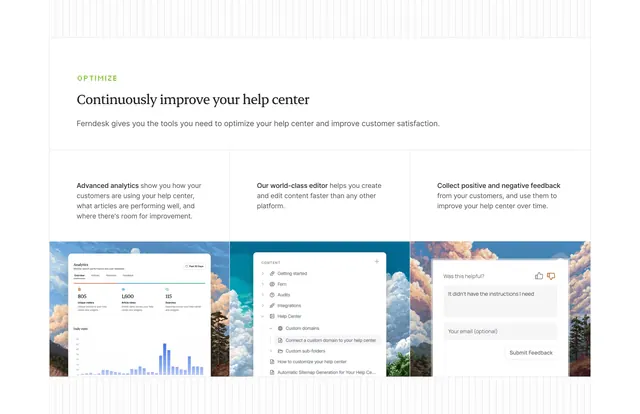
White background with faint vertical hairline gridlines at the edges. A green all-caps eyebrow "OPTIMIZE" sits above a serif heading "Continuously improve your help center" and one line of grey supporting copy. Below, three equal columns separated by thin vertical rules each pair a short bold lead-in and paragraph ("Advanced analytics", "Our world-class editor", "Collect positive and negative feedback") with a small rounded screenshot underneath: an analytics dashboard with a bar chart, a help-center content editor with a tree menu, and a "Was this helpful?" feedback widget over a sky photo. The type is small and the spacing generous.
Key takeaway
The eyebrow-plus-serif-heading intro frames the three features as one coherent benefit rather than a disconnected list. Putting a real, small UI thumbnail under each column proves each claim with a glimpse of the actual interface instead of a generic icon.
Reuse notes
Good for a features or capabilities row where the product UI is presentable and worth showing in miniature. The thin column dividers and serif heading give it an editorial, calm feel that suits documentation or support tools. Keep the thumbnails consistent in crop and corner radius so the row reads as a set.