Preview image. Unlock full-res
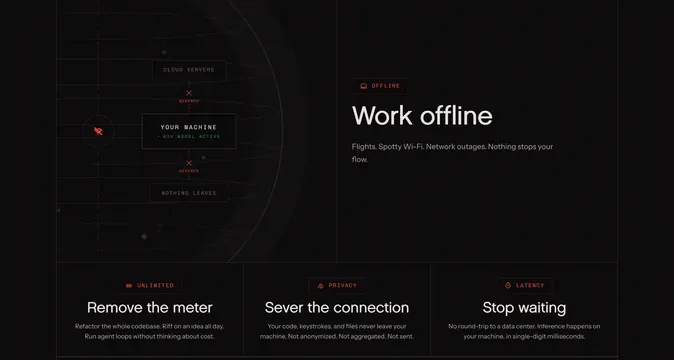
Split offline feature section with a severed-connection diagram left, headline right, and three bordered benefit cards below.
Summary
Split offline feature section with a severed-connection diagram left, headline right, and three bordered benefit cards below.
Visual description
Dark charcoal canvas divided horizontally. Top half splits: left shows a radar-style schematic with YOUR MACHINE centered, green check and RIG MODEL ACTIVE status, CLOUD SERVERS above and NOTHING LEAVES below connected by dotted lines marked SEVERED with red X marks, plus a crossed-out airplane icon; right carries a coral OFFLINE badge with laptop icon, large white headline "Work offline," and gray copy about flights and outages. Bottom row is three equal bordered columns with coral icon tags (UNLIMITED, PRIVACY, LATENCY), bold white titles (Remove the meter, Sever the connection, Stop waiting), and short gray paragraphs on uncapped usage, local-only data, and single-digit millisecond inference.
Key takeaway
Explain offline/local with a literal severed-connection diagram instead of abstract icons, then reinforce with three tight benefit columns tagged by concern (cost, privacy, speed).
Reuse notes
Ideal for dev tools selling air-gapped or on-device inference. Diagram needs horizontal space; stack or simplify on narrow viewports.