Preview image. Unlock full-res
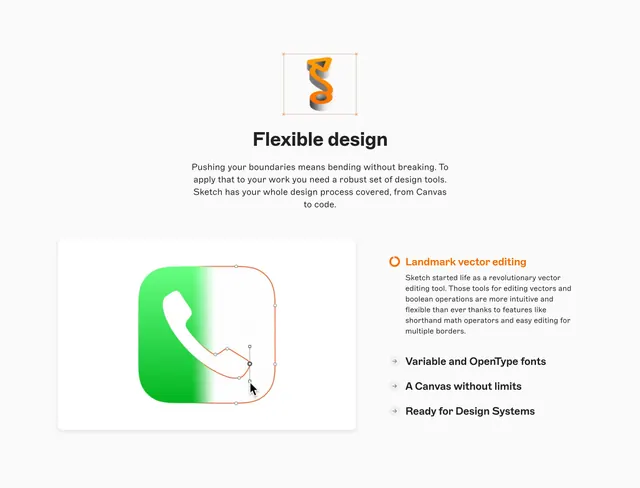
Flexible design section with orange ribbon icon, vector editing demo on a green app icon, and expandable feature list with Landmark vector editing active.
Summary
Flexible design section with orange ribbon icon, vector editing demo on a green app icon, and expandable feature list with Landmark vector editing active.
Visual description
White page with orange twisted ribbon S icon in bounding box, Flexible design headline, and paragraph on robust tools from Canvas to code. Left white card shows green gradient phone icon with orange vector path, anchor points, and cursor dragging a point over a grid. Right column highlights Landmark vector editing in orange with description of boolean operations and shorthand math. Grey arrow rows list Variable and OpenType fonts, Canvas without limits, and Ready for Design Systems.
Key takeaway
Live vector edit on a recognizable app icon demonstrates flexibility better than abstract shapes. 3D ribbon icon metaphor reinforces flexibility before the headline. Inactive features as quiet arrow rows keep focus on one deep dive.
Reuse notes
Use on design-tool capability pages alternating deep-dive features. Requires accurate vector editing screenshot. Orange-green pairing is distinctive; adapt accents to brand.