Preview image. Unlock full-res
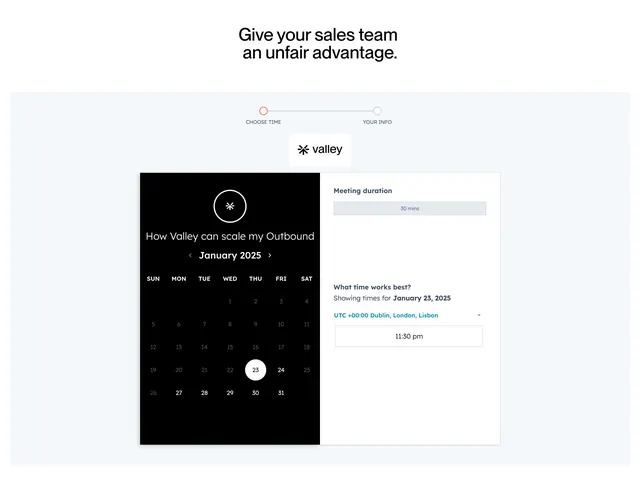
Light book-a-demo section centered on a two-panel scheduler card with a black calendar month and a white time-picker panel.
Summary
A book-a-demo section built around a live two-panel scheduling widget: a black calendar half and a white time-selection half, headed by a two-step progress indicator.
Visual description
A large centered black headline "Give your sales team an unfair advantage." sits on white above a pale blue-grey band. Inside the band, a two-node progress line labeled "CHOOSE TIME" and "YOUR INFO" tracks the booking steps, with the brand logo on a white tab below it. The scheduler card splits left and right: the left panel is solid black with a circular brand mark, a meeting title, a "January 2025" month navigator, and a full day-grid calendar with the selected date (23) highlighted as a white filled circle. The right white panel shows a greyed "Meeting duration / 30 mins" field, a "What time works best?" prompt, a teal timezone selector, and a bordered "11:30 pm" time slot.
Key takeaway
Theming half the scheduler black and half white turns a utilitarian calendar widget into a deliberate brand object. The slim two-step progress line at the top sets expectations that booking is short before the user even starts.
Reuse notes
Ideal for sales-led SaaS where the demo booking flow is the conversion moment and you want it to feel designed, not bolted on. The high-contrast split only works if the calendar widget can be themed. Keep the step count visibly low to reassure the visitor.
More book a demo sections
See all
More like this


Keep what you find
A free account saves references to boards and can send you a weekly email of picks based on what you save.
To see every result, go Pro.