Preview image. Unlock full-res
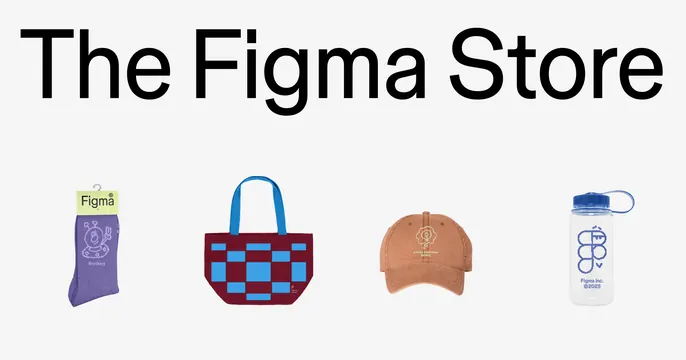
Minimalist product showcase grid displaying Figma-branded merchandise with icon-style illustrations under a clean sans-serif heading.
Summary
A grid layout of Figma-branded merchandise (socks, tote bag, cap, water bottle) rendered as flat icons or simplified product illustrations beneath a large sans-serif headline.
Visual description
White background with a bold, black sans-serif headline reading "The Figma Store" positioned at top. Below, four product illustrations arranged horizontally: a purple sock or sleeve item (left), a red and blue checkered tote bag with handles (second from left), a tan/warm brown baseball cap with a small icon (center-right), and a white water bottle with blue accents and cap (right). Each product is rendered in a simplified, flat illustration style with vibrant brand colors (purple, red, blue, tan, white). The composition is symmetrically balanced with generous white space, emphasizing clarity and calm professionalism.
Key takeaway
The flat icon approach to product presentation creates a cohesive brand identity across diverse merchandise. Using bold, monolithic display typography combined with simplified product illustrations keeps a promotional grid scannable and modern without photography. The color palette (purple, red, blue, tan) is playful yet professional, working for both ecommerce and tool/software contexts.
Reuse notes
Strong for merchandising pages, product catalogs, and brand identity websites where you need to showcase a range of items with visual consistency. Works particularly well for software/design tools, tech brands, and consumer products targeting a design-savvy audience. Flat rendering allows rapid iteration and brand consistency across many products.
More like this


Keep what you find
A free account saves references to boards and can send you a weekly email of picks based on what you save.
To see every result, go Pro.