Preview image. Unlock full-res
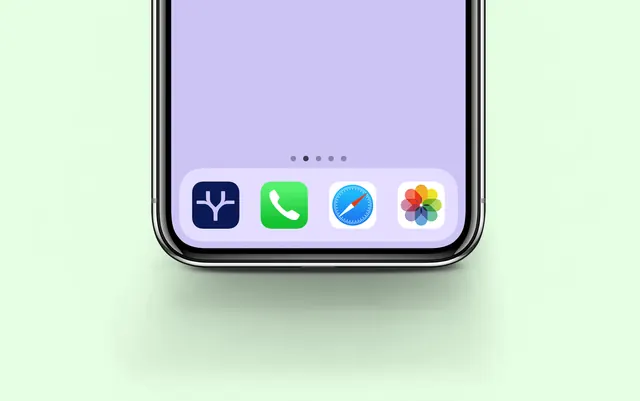
Tight bottom crop of a phone on pale mint, showing the navy Tradeer app icon sitting first in the iOS dock.
More like this
See all


Summary
An extreme crop that shows only the bottom fifth of a phone so the Tradeer app icon can be presented at close to poster scale next to three familiar system icons.
Visual description
The background is a flat pale mint green with a wide soft shadow pooling under the device. Only the lower portion of the phone is in frame: rounded chrome bezel, a lilac wallpaper, five small page dots, and a translucent dock. In the dock, the Tradeer icon sits leftmost as a deep navy rounded square carrying the white forked branching mark centred, followed by the stock green phone, blue compass and multicolour flower icons. The mint backdrop and lilac wallpaper are close in value, so the navy tile is the only dark element and pulls the eye immediately.
Key takeaway
Placing a new app icon beside untouched system icons is a fast credibility test and a fast legibility test at once. Cropping the device to a sliver removes all the usual mockup furniture and forces the icon to carry the frame.
Reuse notes
Reach for this when presenting a single icon or a small mark and the surrounding screen adds nothing. The tight crop needs a very clean background and a shadow soft enough not to compete. Works less well if the icon is light, since the contrast trick here depends on the tile being the darkest thing in view.