Preview image. Unlock full-res
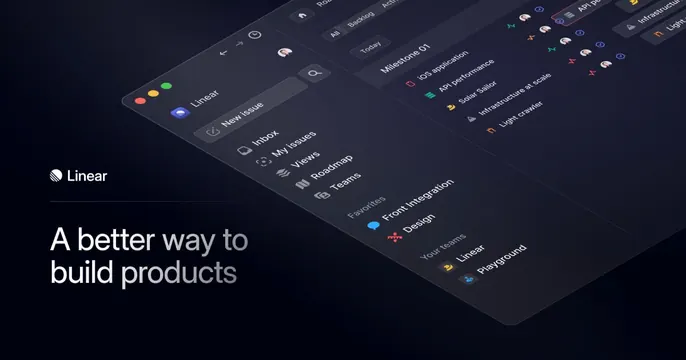
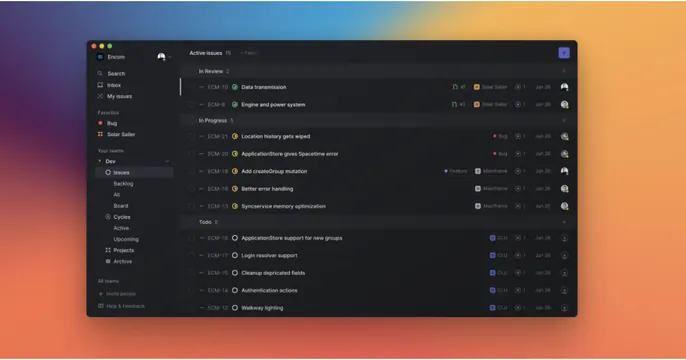
Full-bleed dark Linear app screenshot showing an issues list, floated on a soft blue-orange gradient backdrop.
Summary
A product-first card showing a dark Linear issues view floated as a windowed screenshot over a soft multi-hue gradient, with no headline at all.
Visual description
A blurred gradient backdrop runs from purple and blue at the top to warm orange at the bottom. Centered on it is a dark application window with macOS traffic-light dots, showing a Linear "Active issues" list: a left sidebar (Search, Inbox, My issues, Favorites, teams) and a main pane of grouped issues under "In Review", "In Progress", and "Todo" headers, each row carrying issue IDs, status icons, project tags, dates, and assignee avatars. No marketing copy, headline, or wordmark sits outside the window; the product UI is the message.
Key takeaway
Letting a single well-composed product screenshot, framed as a floating app window over a colorful gradient, stand in for any headline. The dark UI against the warm gradient makes the screenshot pop without extra chrome.
Reuse notes
Ideal for a polished SaaS or dev tool confident that its interface sells itself. Requires a genuinely attractive, populated screenshot and a tasteful gradient. Drop in a headline only if the UI alone is too ambiguous; here Linear relies purely on the product shot.