Preview image. Unlock full-res
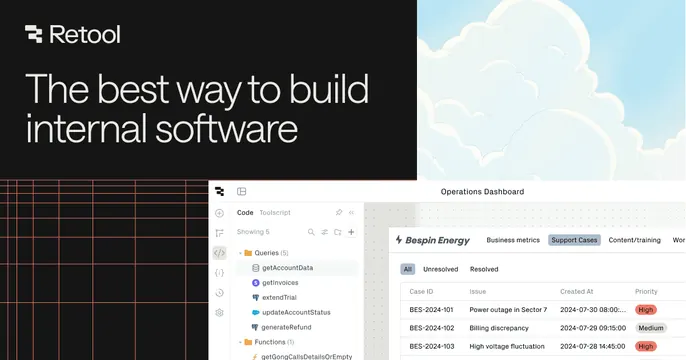
Dark OG card with a white headline and wordmark up top over a large light screenshot of an internal-tool builder below.
Summary
A dark OG card with a white headline and Retool wordmark across the top band, sitting above a large, detailed screenshot of the app builder that bleeds off the bottom. The real builder UI is the centerpiece.
Visual description
The top portion is near-black with the Retool logo and wordmark at upper-left and the two-line headline "The best way to build internal software" in white sans-serif. The lower two thirds show a high-fidelity product screenshot: a code/Toolscript query panel listing functions like getAccountData and generateRefund, beside an "Operations Dashboard" for "Bespin Energy" with a support-cases table (Case ID, Issue, Created At, Priority) using red and grey priority tags. A faint red gridline motif appears at the bottom-left edge.
Key takeaway
The clean dark header band handing off to a full, legible product screenshot below, letting the actual builder do the selling. Using a believable demo dataset (case tables, query names) so the UI feels real, not staged.
Reuse notes
Best for a developer or internal-tooling platform whose UI is the differentiator. Needs a genuinely rich, readable screenshot, since detail is the selling point. The dark-band-over-light-UI split works on either, but here leans dark.