Preview image. Unlock full-res
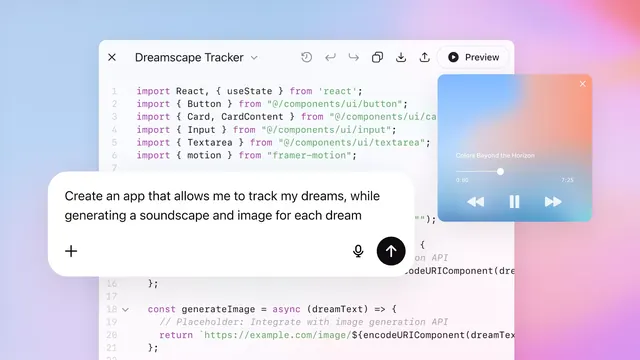
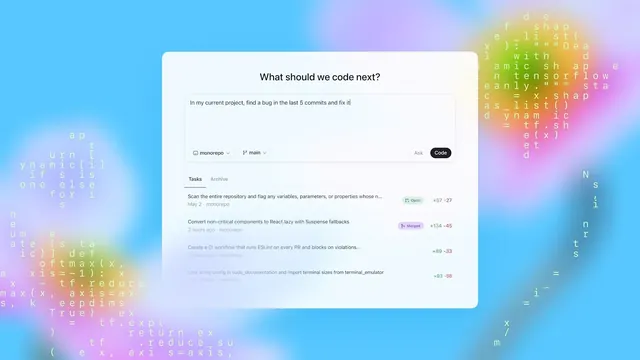
Mobile dev-tool interface showing a chat interface for coding tasks, with code snippets watermarked across a vibrant blue-to-pink gradient background.
Summary
A minimalist mobile UI for a developer task assistant, centering a white card that floats over a colorful blue-to-pink gradient with monospace code snippets watermarked in the background.
Visual description
A white rounded card is centered on the screen, containing a headline "What should we code next?", a pale gray input field with task text, two dropdown selectors (repository and branch), and an "Ask" button plus a dark "Code" button. Above the card, a "Tasks" tab row shows two task items with syntax-checked/merged statuses and line-diff counts (green adds, red removes). The full-bleed background is a smooth blue-to-pink gradient (cyan to magenta), with semi-transparent monospace code snippets (functions, syntax, variable names) layered as watermark text across both left and right edges, creating visual texture without interfering with the card content.
Key takeaway
The gradient-as-texture technique: using readable-but-faded code as background pattern rather than blank space, which adds technical credibility while maintaining focus on the white-card interface. The two-tier composition (minimal card plus information-dense task list below) balances simplicity with detail, showing progress history without cluttering the immediate prompt area.
Reuse notes
Strong pattern for dev tools, AI assistants, or coding platforms where users need to see both a current input and recent history. Works best when the background texture is genuinely related to the tool's domain (code for a coder, data for an analyst). The white card stands out effectively against colorful gradients; do not use on high-contrast monochrome backgrounds.