Preview image. Unlock full-res
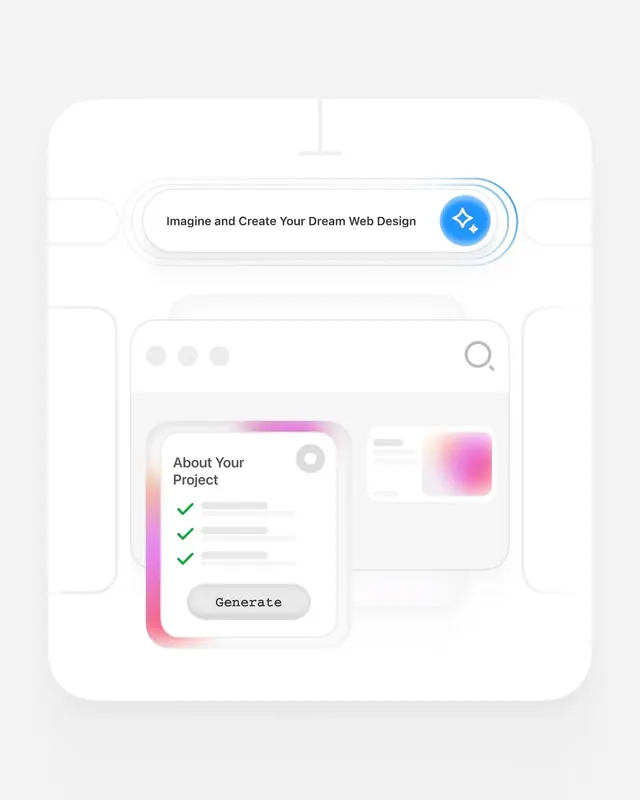
Onboarding interface for an AI-powered design tool, layering a search-bar input over a project-setup card with gradient bloom and structured checklist flow.
Summary
An onboarding interface for an AI-powered design tool, layering a search-bar input over a project-setup card with gradient bloom and structured checklist flow.
Visual description
A light neutral background frames two overlapping card components. The top card is a horizontally-scrolling search input bar with the text "Imagine and Create Your Dream Web Design" and a bright blue circular button on the right featuring a sparkle icon. Below sits a larger panel showing "About Your Project" with three green checkmarks stacked vertically, a "Generate" button at the base, and a soft pink-to-white gradient bloom running down the left edge. A placeholder image area in the top right hints at a preview panel. All elements use soft corner radii; the type is clean sans-serif in dark gray.
Key takeaway
The gradient bloom as a visual anchor behind form elements (no sharp container, just the warm gradient edge), and the stacked checklist with green checks to show form progress without counting or percentage labels.
Reuse notes
Strong pattern for onboarding flows in SaaS or creative tools where users step through a sequence. The layered card-over-card composition and skeuomorphic depth work well on white backgrounds. Gradient blooms are photogenic on light UIs but risk looking trendy, so pair with restrained color elsewhere.