Preview image. Unlock full-res
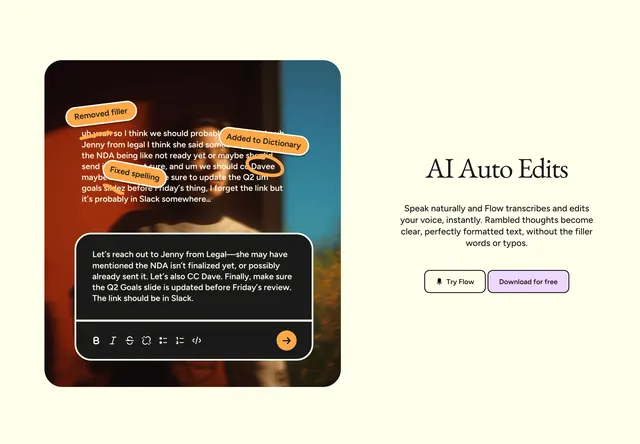
Cream split layout with annotated voice transcript demo on the left and serif headline plus dual CTAs on the right.
Summary
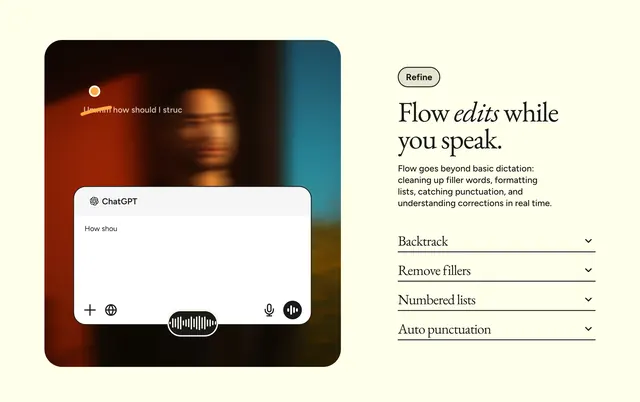
Flow feature row showing AI transcript cleanup: messy spoken text with orange edit callouts beside "AI Auto Edits" copy and Try Flow / Download CTAs.
Visual description
Warm off-white background. Left column: rounded square photo of a person with white transcript overlay showing filler words crossed out and spelling fixes. Orange annotation bubbles label "Removed filler," "Fixed spelling," and "Added to Dictionary" pointing to specific edits including a corrected name. Dark rounded card overlaid at bottom shows cleaned paragraph about Legal, NDA, Dave, and Q2 Goals slide, with a formatting icon row and orange circular send arrow. Right column: large black serif headline "AI Auto Edits," sans-serif body about natural speech becoming formatted text without filler or typos, then two rounded buttons side by side: white outlined "Try Flow" with microphone icon and lavender filled "Download for free."
Key takeaway
Before/after storytelling on one photo keeps the feature tangible: raw ramble on top, polished card on bottom, with explicit orange callouts naming each edit type. Serif headline on a productivity tool adds editorial warmth against the demo UI.
Reuse notes
Strong pattern for AI writing or dictation products. Requires a believable transcript and readable annotation labels. Orange accent must stay consistent with product UI in the dark card overlay.