Preview image. Unlock full-res
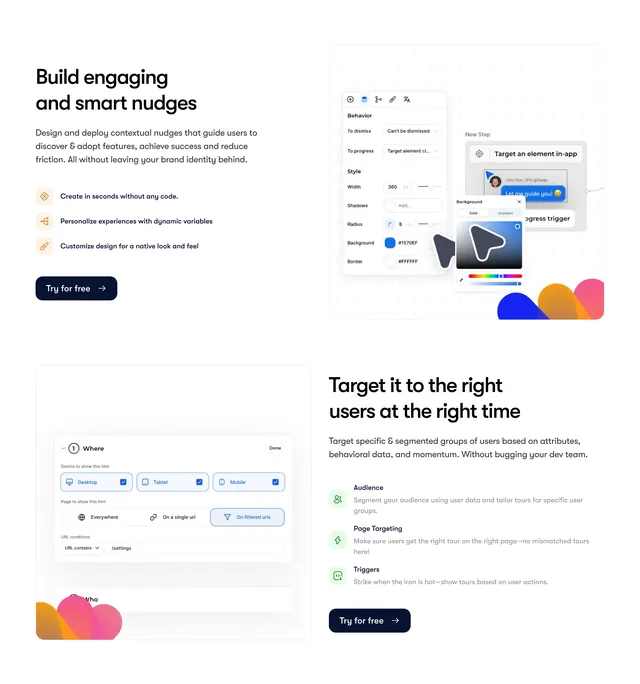
Two alternating split rows showing nudge builder UI and audience targeting panels with icon bullet lists.
Summary
Two stacked split sections cover building smart nudges and targeting the right users with product UI screenshots on dot-grid backgrounds.
Visual description
White page with two full-width rows. Top row places copy left and UI right: Build engaging and smart nudges headline, three orange-icon bullets about no-code creation, variables, and native styling, navy Try for free CTA, and a style editor mockup with color picker, step preview tooltip, and abstract color blobs. Bottom row reverses layout for Target it to the right users with green-icon bullets for Audience, Page Targeting, and Triggers, and a targeting panel showing device checkboxes and URL filter rule.
Key takeaway
Alternating split rows with real builder UI prove no-code claims better than abstract illustrations. Colored diamond icons differentiate bullet lists per section theme.
Reuse notes
Standard pattern for product-led SaaS feature bands. Dot-grid backdrop signals design-tool context. Needs crisp, readable UI captures at this scale.