Preview image. Unlock full-res
Light tabbed section showing AI agents and project-management benefits for the selected team, defaulting to Projects.
Summary
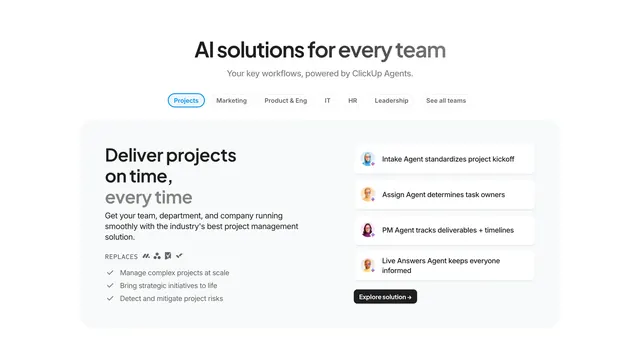
Centered "AI solutions for every team" block with pill team filters and a large gray card pairing value copy with stacked AI agent cards for the active Projects tab.
Visual description
White background. Headline and gray subhead introduce ClickUp Agents. Row of pill tabs includes active "Projects" with blue outline and blue text; inactive tabs (Marketing, Product & Eng, IT, HR, Leadership, See all teams) use dashed gray borders. Large light-gray rounded card splits into two columns. Left column headline "Deliver projects on time, every time" with gray emphasis, body copy, "REPLACES" row with competitor icons, and three checkmark bullets. Right column stacks four white agent cards with circular avatar, purple sparkle, agent name, and one-line role (Intake, Assign, PM, Live Answers). Black "Explore solution" button sits bottom right.
Key takeaway
Team-based tabs over one large feature card let a single section speak to multiple personas without separate sections. Stacked agent cards humanize abstract AI features.
Reuse notes
Useful for multi-persona SaaS with modular capabilities. Tab content must feel meaningfully different per role; the soft gray container needs enough internal contrast to stay readable.