Preview image. Unlock full-res
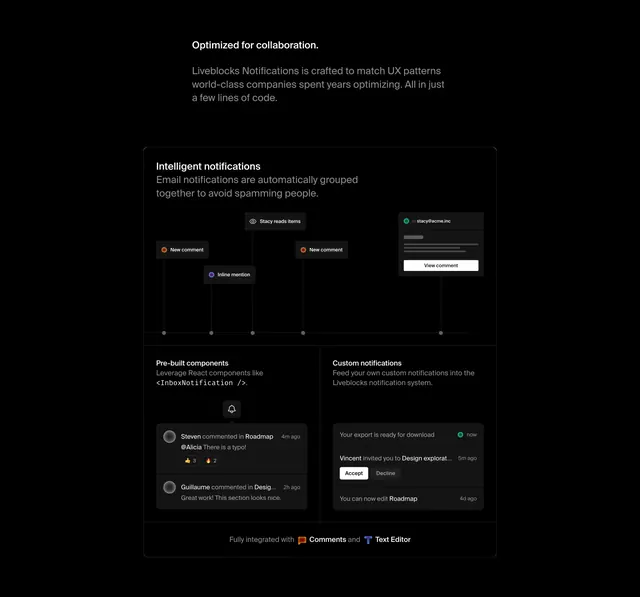
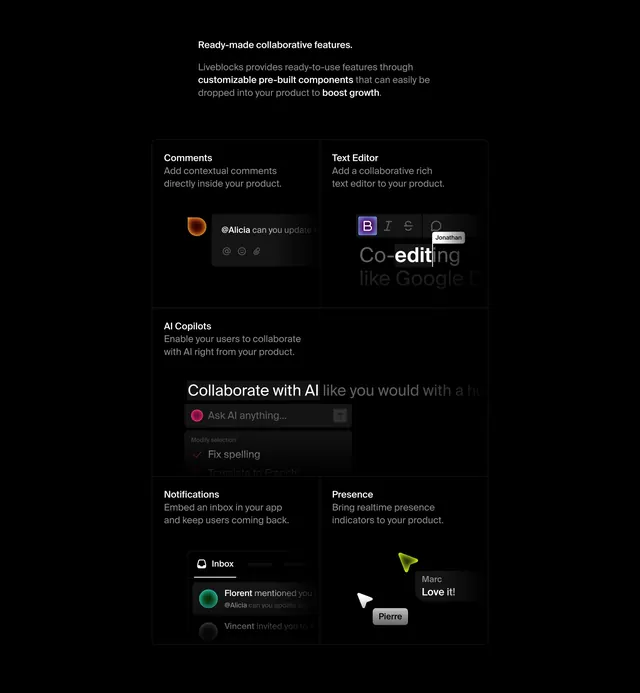
Dark bento features section where each cell pairs a short label with a cropped product-UI snippet of the feature in action.
Summary
A dark bento features grid for a collaboration-components product, where every cell shows a feature name and one sentence above a cropped, live-looking snippet of that feature's UI. The defining move is using real product fragments as the illustration inside each box.
Visual description
Near-black background. A small left-aligned intro block sits above the grid: a bold "Ready-made collaborative features" heading with two lines of muted sub-copy that bold the key phrases. Below, a bordered bento grid of cells separated by thin hairlines. Top row splits into Comments (a comment composer with an avatar and emoji icons) and Text Editor (a rich-text toolbar with bold/italic/strike icons and a co-editing cursor labeled Jonathan). A wide AI Copilots cell follows with an "Ask AI anything" input and a "Fix spelling" suggestion. The bottom row splits into Notifications (an inbox list with avatars) and Presence (live cursors labeled Marc and Pierre with a "Love it!" tag). Each label is white sans-serif; the UI snippets are cropped so they bleed past the cell edges.
Key takeaway
Filling each bento cell with an actual fragment of the product UI instead of a generic icon or illustration, so the feature list doubles as a product demo. The thin hairline grid on near-black keeps five distinct features legible without heavy containers. Cropping the mockups past the cell edge implies a larger working interface.
Reuse notes
Strong for a developer tool or SaaS with several visually distinct features that each have screenshot-worthy UI. Requires genuinely good-looking product snippets to carry every cell. Best on a dark theme; the hairline-only borders need high contrast to read.