Preview image. Unlock full-res
Dark split feature section with a vertical tab list, a central product mockup, and supporting copy on the right.
Summary
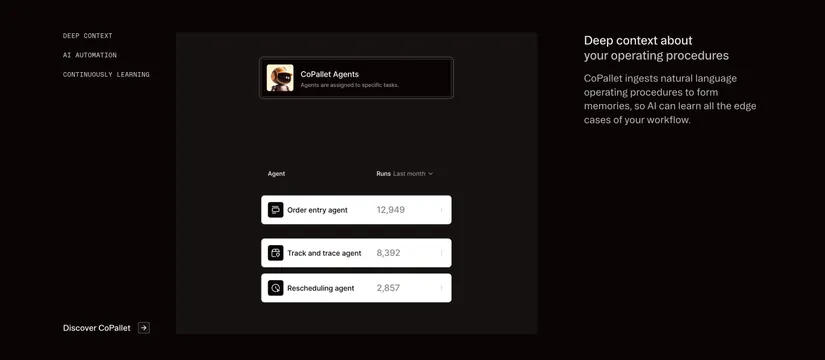
A dark, three-zone feature section: a vertical monospace tab list on the left, an abstracted product UI in the center, and a headline plus paragraph on the right. The defining detail is the tab navigation steering a single central product mockup.
Visual description
Near-black background. Far left holds three stacked all-caps monospace nav items (DEEP CONTEXT, AI AUTOMATION, CONTINUOUSLY LEARNING) with a "Discover CoPallet" text link and arrow anchored at the bottom. The center is a slightly lighter charcoal panel containing a bordered "CoPallet Agents" card with a small robot avatar, then a mini table of agents (Order entry, Track and trace, Rescheduling) shown as white rows with run counts. The right column carries a two-line white headline and a muted grey paragraph about ingesting operating procedures.
Key takeaway
The clean three-part split where left-side tabs are pure monospace text, the product abstract floats in a recessed central panel, and the explanatory copy sits apart on the right. White data rows on a dark card make the mock UI pop without screenshots.
Reuse notes
Good for AI agent or automation products that need to show multiple capabilities through one switchable visual. The abstracted UI (cards plus rows) is reusable when a real screenshot would be too noisy. Works only on dark; the white rows depend on the dark surround for contrast.