Preview image. Unlock full-res
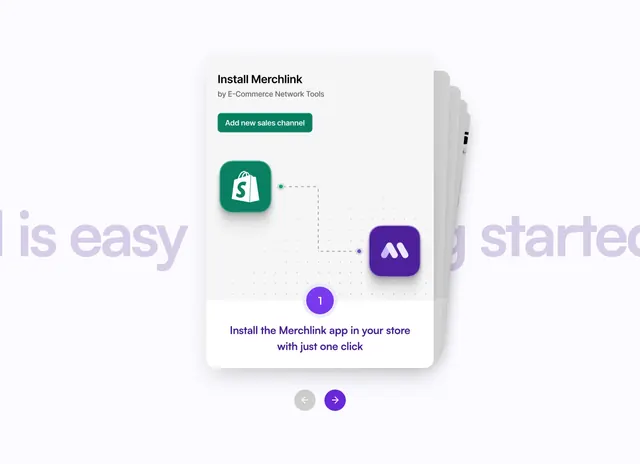
Stacked step cards showing Shopify to Merchlink install flow with green add channel button and arrow navigation.
Summary
Getting started carousel highlights Step 1 Install Merchlink with Shopify and Merchlink icons linked by dashed path and one-click copy.
Visual description
Light background with faint purple Getting started is easy text. Front white card titled Install Merchlink by E-Commerce Network Tools includes green Add new sales channel button, dot-grid area with green Shopify bag icon and purple M icon connected by dashed purple line, purple circle step 1, and instruction to install with one click. Stacked card edges peek behind. Gray back and purple forward circular arrows sit below.
Key takeaway
Platform connection diagrams inside step cards make integration feel trivial. Card stack plus arrows signal multi-step onboarding without showing every slide.
Reuse notes
Ideal for marketplace or channel apps. Requires recognizable partner logos; generic squares weaken the story.