Preview image. Unlock full-res
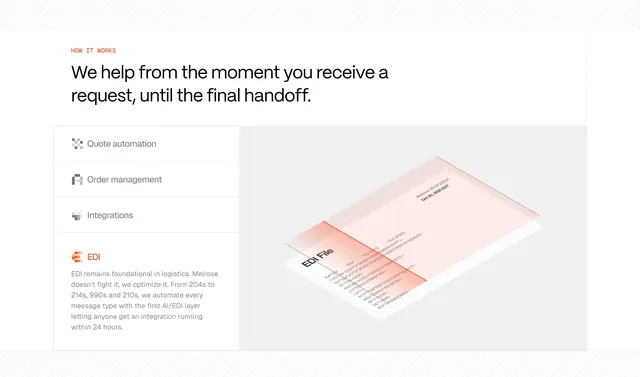
Light how-it-works with orange label, vertical feature list, active EDI copy, and isometric EDI file scan illustration.
Summary
How it works section highlights EDI with left inactive quote order integration rows, orange active EDI description, and right isometric scanned EDI file graphic.
Visual description
White page with orange HOW IT WORKS caps and black headline on helping from request to final handoff. Left vertical list shows gray Quote automation, Order management, and Integrations icons above active orange EDI row with stylized E paragraph on automating 204s through 210s in 24 hours. Right gray panel holds isometric white EDI File card filled with ISA and GS segment strings under diagonal red scan plane labeled Melrose reference and Oct 20, 2025 EDT timestamp.
Key takeaway
Vertical feature rail plus one deep illustration beats carousel for technical buyers. Realistic EDI strings lend credibility to abstract automation claims.
Reuse notes
Ideal for integration-heavy B2B products. Inactive items must stay visually quieter so the active state reads instantly.