Preview image. Unlock full-res
Light three-step onboarding section with centered headline and equal white cards showing Plain-to-Slack connect, channel add, and auto-sync UI mockups.
Summary
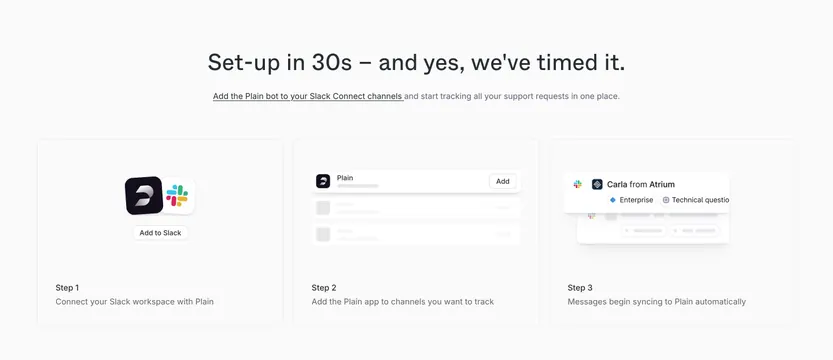
A channels-page process section promising 30-second setup via three horizontal cards that walk through connecting Slack, adding channels, and automatic message sync to Plain.
Visual description
Very light gray background. Centered black headline Set-up in 30s � and yes, we've timed it. with gray subcopy about adding the Plain bot to Slack Connect channels; part of the subcopy is underlined as a link. Three equal white rounded cards with subtle shadow in a row. Step 1 card: Plain and Slack logos side by side with Add to Slack button, Step 1 label, Connect your Slack workspace with Plain caption. Step 2 card: simplified list UI with Plain row and Add button plus placeholder rows, Step 2 label, Add the Plain app to channels you want to track. Step 3 card: message header mockup with Slack icon, Carla from Atrium, Enterprise and Technical question tags, Step 3 label, Messages begin syncing to Plain automatically caption.
Key takeaway
Each step pairs a minimal UI vignette with one sentence so the flow reads in seconds. The timed headline adds confidence without a video demo. Using real integration logos in step one anchors the workflow in a familiar product.
Reuse notes
Ideal for integration or channels pages where setup friction is the objection. Works on light gray backgrounds with white cards. Needs accurate partner logos and simplified UI that still looks like the real product.