Preview image. Unlock full-res
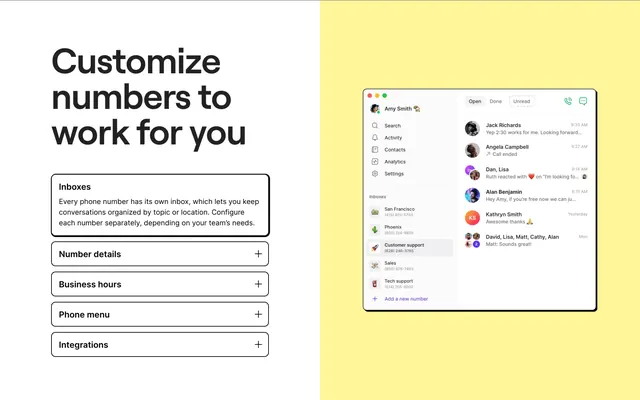
Split feature section with accordion copy on white and a pale-yellow panel showing the OpenPhone inbox UI.
Summary
A split feature block pairs an accordion-driven explainer on the left with a full OpenPhone desktop mockup on a warm yellow panel, focused on per-number inbox configuration.
Visual description
White left column holds a large black headline "Customize numbers to work for you" above five bordered accordion rows. The first row, "Inboxes," is expanded with body copy; the others ("Number details," "Business hours," "Phone menu," "Integrations") stay collapsed with plus icons. The right half sits on a soft pale-yellow background and shows a floating app window: sidebar with user profile, nav icons, an inbox list with numbered lines and icons, and a main conversation list with avatars, snippets, and timestamps. Thin black outlines, generous padding, and restrained grayscale UI with small color accents in avatars.
Key takeaway
The accordion ties one marketing claim to one visible UI state without carousel noise. The warm accent panel behind the product shot separates the mockup from copy while keeping the layout flat and editorial.
Reuse notes
Strong pattern for telephony, CRM, or inbox products explaining multi-entity setup. Needs a credible product screenshot; the yellow panel only works if the UI mock is detailed enough to read at a glance.