Preview image. Unlock full-res
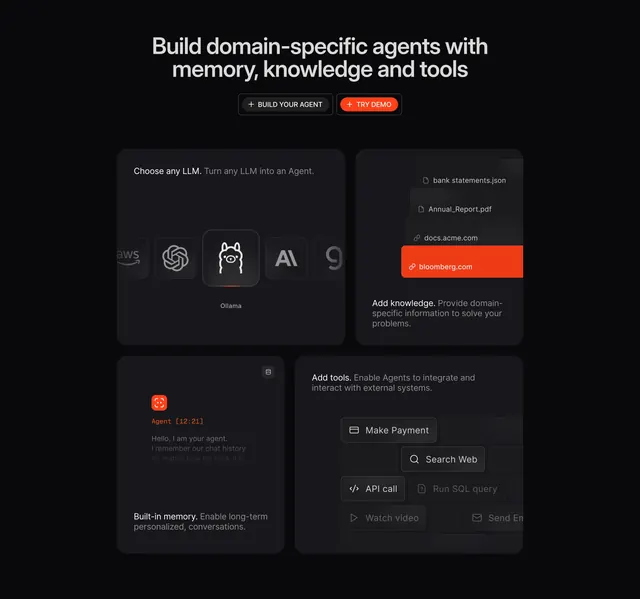
Dark centered features header over a 2x2 bento of agent-building tiles, each showing a distinct technical UI abstract.
Summary
A dark features section with a centered headline and two CTAs above a 2x2 bento of agent-building capabilities, each tile carrying a bespoke technical UI abstract. The defining detail is the consistent dark tiles punctuated by a single orange accent across the grid.
Visual description
Near-black background. A centered two-line oversized headline ("Build domain-specific agents with memory, knowledge and tools") sits above two pill buttons: outlined "+ BUILD YOUR AGENT" and orange-filled "+ TRY DEMO". Below, four charcoal rounded tiles. Top-left ("Choose any LLM") shows a row of greyscale model logos (AWS, OpenAI, an Ollama llama highlighted, Anthropic) with the active one lit. Top-right ("Add knowledge") stacks file/link chips (bank statements.json, Annual_Report.pdf, docs.acme.com, an orange-highlighted bloomberg.com). Bottom-left ("Built-in memory") shows an orange agent avatar and a timestamped agent chat snippet in monospace. Bottom-right ("Add tools") shows a grid of tool buttons (Make Payment, Search Web, API call, Run SQL query, Watch video, Send Email) fading toward the edges. Headings white, descriptions muted grey.
Key takeaway
Using a 2x2 bento where each cell illustrates an abstract concept (model choice, knowledge sources, memory, tools) through its own small interface, with one shared orange highlight color creating a focal beat in every tile. The fading tool grid implies more options than shown.
Reuse notes
Ideal for AI, agent, or developer-platform products explaining a multi-part architecture. Each tile is bespoke, so it needs design time. Works only on dark; the lone orange accent depends on the otherwise monochrome grid, so use it sparingly to mark the active or key element per tile.