Preview image. Unlock full-res
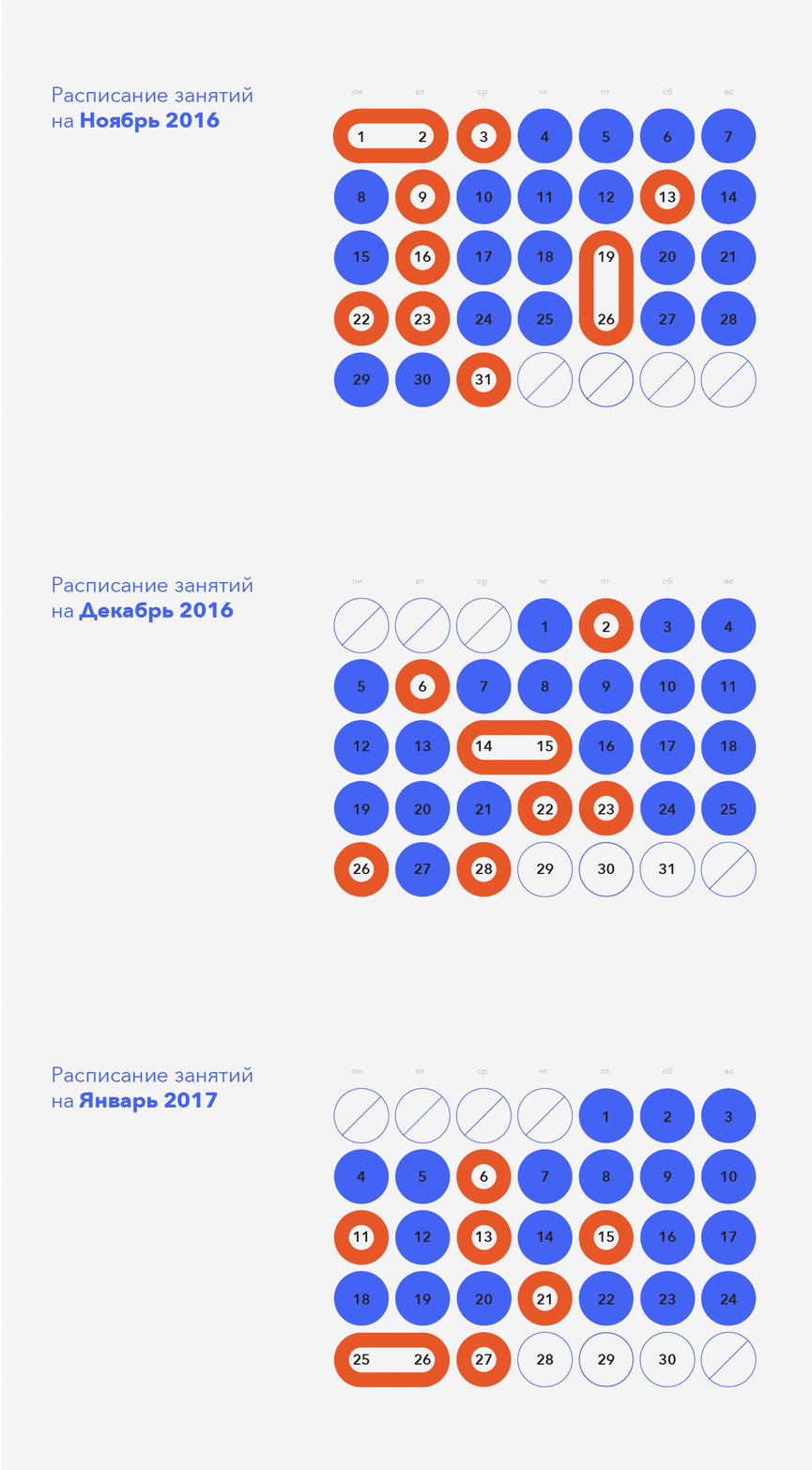
November 2016 calendar rendered as a grid of numbered circles in blue and orange, with abbreviated weekday headers and a light-gray background.
Summary
A calendar visualization for November 2016 using a grid of circles numbered 1-31, with alternating blue and orange fill colors to denote weekend/weekday boundaries, set against a pale gray background.
Visual description
Light-gray background with Russian-language header "Распписание занятий на Ноябрь 2016" (Class Schedule for November 2016) left-aligned in a sans-serif blue typeface. Abbreviated weekday headers (пн, вт, ср, чт, пт, сб, вс) in small caps above seven columns. The date grid uses circles of two sizes: larger circles (numbered 1-2 as a combined oval, then 3 onward as single circles) filled in blue or orange. Dates 1-3 and 9, 13, 16, 19, 22-23, 26, 31 are orange; the rest are blue. Dates 28-31 tail with four empty circles outlined in blue (overflow/placeholder days). Gaps are tightly spaced, creating a compact, organized grid composition with no decorative flourish.
Key takeaway
The color-coding strategy (alternating weekday/weekend colors) is instantly recognizable without legend: orange weekends vs. blue weekdays need no explanation and occupy minimal visual real estate. The circle grid itself is highly scannable and information-dense while remaining legible at any size. The overflow empty circles signal that days outside the month exist, preventing the calendar from appearing truncated or incomplete.
Reuse notes
Effective for scheduling interfaces, class-signup tools, appointment bookings, and educational planning tools where visual weight should remain minimal. Works in any language. The two-color system is print-friendly and accessible (sufficient contrast). Use this pattern when the calendar is a secondary interface element or needs to fit confined spaces. For interactive calendars, consider adding fill animations or state changes on select/hover. Less suited for agenda views, habit trackers, or event-heavy calendars (needs different data layers).
More like this


Keep what you find
A free account saves references to boards and can send you a weekly email of picks based on what you save.
To see every result, go Pro.