Preview image. Unlock full-res
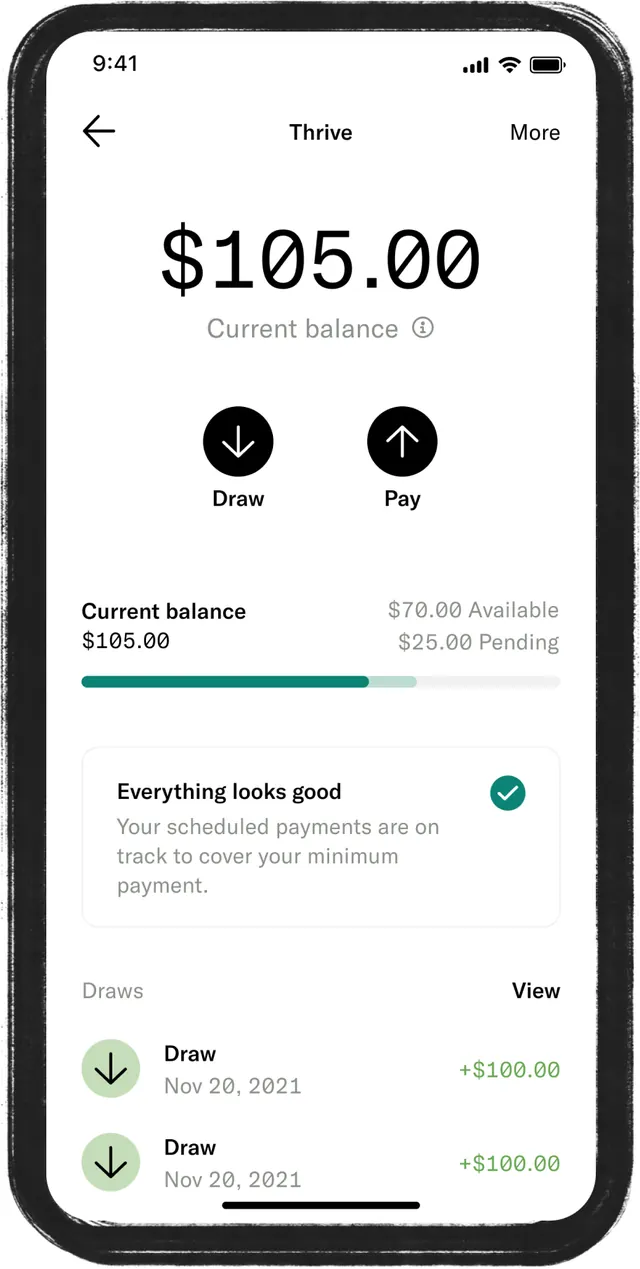
A fintech app screen showing current balance of $105.00 with split action buttons (Draw/Pay) and a transaction list below on a light background.
Summary
A fintech app screen showing current balance of $105.00 with split action buttons (Draw/Pay) and a transaction list below on a light background.
Visual description
A mobile phone screen displays the "Thrive" fintech interface. At the top, the dollar amount $105.00 is shown prominently in large sans-serif type, with "Current balance" as supporting label. Below that are two black circular button icons labeled Draw (down arrow) and Pay (up arrow), positioned side by side. A section shows available funds ($78.00) and pending balance ($25.00) in smaller text. A status message "Everything looks good" appears with a checkmark icon. Below, a transaction list shows two "Draw" entries dated Nov 28 and Nov 23, each with green text showing positive amounts ($100.00). The overall layout uses white background, black text, and teal/green accent color for interactive elements and positive values.
Key takeaway
The dual-action button pattern (two high-contrast circular icons side by side) for primary operations; the clear visual hierarchy separating balance display from transaction history; the use of color (teal accent) to denote positive financial information.
Reuse notes
Reference for any mobile banking or payment app. The split button approach works well for two equally important actions. Ensure sufficient tap target size for mobile. Color choice (teal for positivity) is specific to finance context.
More like this

Keep what you find
A free account saves references to boards and can send you a weekly email of picks based on what you save.
To see every result, go Pro.