Preview image. Unlock full-res
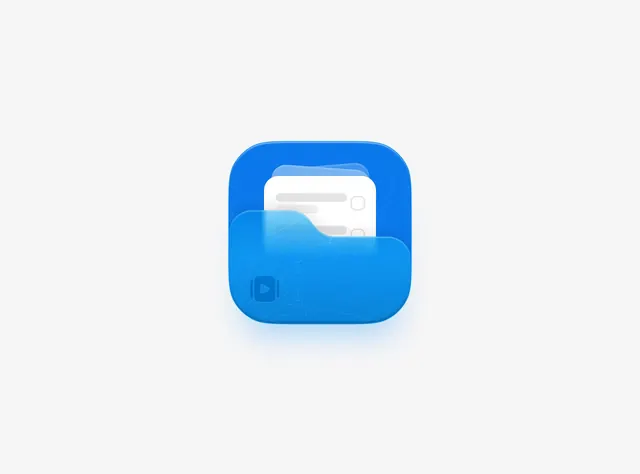
A 3D app icon depicting a blue rounded folder with a white document peeking out from behind, rendered with depth and soft shadows on a light gray background.
Summary
A modern file-management app icon featuring a vibrant blue folder with a white document partially visible behind it, using rounded corners and soft shadow depth cues.
Visual description
A bright blue rounded-square app icon sits centered on a light gray background. The icon depicts a folder in medium-to-dark blue with heavily rounded corners, tilted slightly to suggest depth. A white document with a faint gray text placeholder pokes out from behind the folder's upper right edge, creating a layered 3D effect. A subtle shadow beneath the folder grounds it against the background. The color palette is minimal: bright blue folder, off-white document, light gray background, with no text or additional elements.
Key takeaway
The layering of the document behind the folder successfully conveys storage and organization at a glance. The rounded corners give it a modern, approachable feel suitable for consumer-facing productivity apps. The soft shadow adds just enough depth to avoid flatness while maintaining clarity at small icon sizes. The two-color simplicity (blue + white) ensures the icon works across light and dark backgrounds and at multiple scales.
Reuse notes
Essential reference for file management, note-taking, or document storage app icons. The design language works well for consumer productivity applications and is approachable enough for general audiences. Scale well from small iOS/Android icon sizes to larger contexts. The soft shadow technique is valuable for apps needing depth without skeuomorphism. Good for brands positioning on simplicity and accessibility.
More like this


Keep what you find
A free account saves references to boards and can send you a weekly email of picks based on what you save.
To see every result, go Pro.