Preview image. Unlock full-res
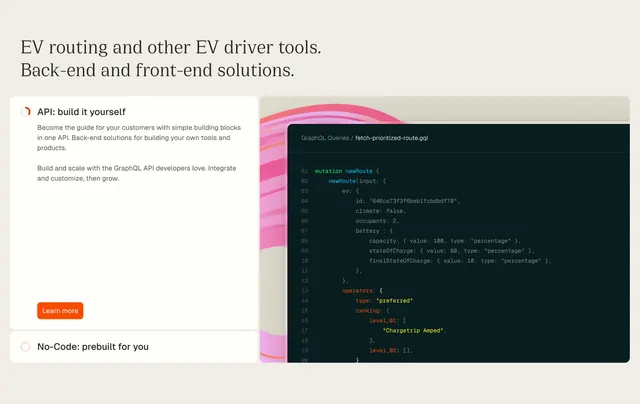
Light feature section with a serif headline and a left accordion of two options beside a large dark code editor showing a GraphQL query over a pink-banded graphic.
Summary
A light feature-detail section that splits a two-option accordion (build-it-yourself API vs prebuilt No-Code) on the left against a large dark code editor showing a real GraphQL mutation on the right.
Visual description
A left-aligned serif headline ("EV routing and other EV driver tools. Back-end and front-end solutions.") sits on a warm off-white background. Below-left, two stacked option panels act as an accordion: the open "API: build it yourself" panel shows two short paragraphs and an orange "Learn more" button; the collapsed "No-Code: prebuilt for you" panel sits beneath, each with a small ring icon. On the right, a dark rounded code editor displays a syntax-highlighted GraphQL query ("fetch-prioritized-route.gql") with numbered lines, emerging from behind a soft graphic of concentric pink and cream bands. The contrast of warm paper, dark editor, and orange accents defines the palette.
Key takeaway
Pairing a build-vs-buy accordion with a live, readable code sample lets the section speak to developers and no-code buyers at once while proving the API is real. The pink concentric bands peeking behind the dark editor add depth and warmth to an otherwise technical panel.
Reuse notes
Strong for a developer platform that serves both engineers and non-technical buyers. The code block should show genuine, legible API usage to land with developers. Serif headline plus warm paper gives an editorial, considered tone; lighten the code editor only if contrast allows.