Preview image. Unlock full-res
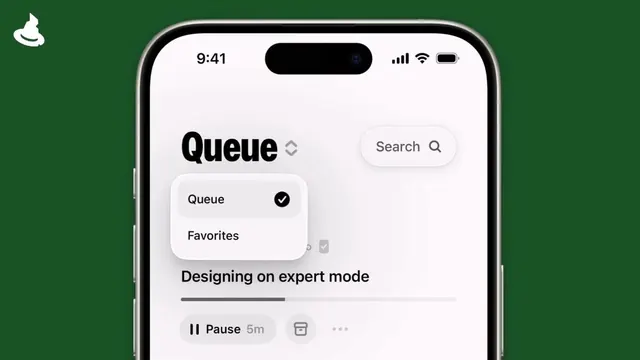
A minimal task-management interface with a dark green outer frame, white screen showing a segmented tab selector and a single queued task with timer controls.
Summary
A task-queue interface for design work, framed in forest green, displaying a segmented tab control and a single active task with elapsed-time indicator and action buttons.
Visual description
Mobile phone mockup with deep forest green surround. White screen interior shows at top: large "Queue" headline with small diamond icon, and a search field to the right. Below, a white rounded-tab selector showing "Queue" (active, with checkmark) and "Favorites" options. Main content area displays one task card: bold sans-serif headline "Designing on expert mode" with a gray progress bar below, followed by a row of controls: play/pause icon, "5m" duration, trash/delete icon, and a three-dot menu. Ample white space around elements. Functional, unadorned typography throughout. The green frame exterior suggests the app's brand color and creates a contained, focused workspace feeling.
Key takeaway
Tab selectors with visual indicators (checkmarks, accent colors) clarify state without clutter. Combining large task title with minimal metadata below creates clear focus hierarchy. Pairing a bold exterior frame color with a white interior surface creates psychological containment and reduces visual fatigue for long work sessions. Duration display and pause/play controls are scannable because of generous spacing.
Reuse notes
Ideal for productivity, design-collaboration, or project-management tools. The dark green frame works for any work-focused context; adjust the accent color to brand. The tab pattern applies to any multi-list interface. Test with longer task names to ensure the layout remains scannable. Works especially well on mobile where screen real estate is tight and focus is critical.