Preview image. Unlock full-res
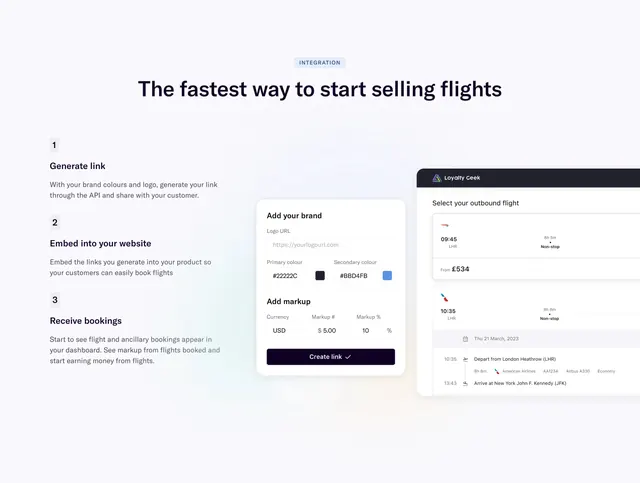
Split integration section with three numbered steps left and overlapping brand config and flight selection UI mocks right.
Summary
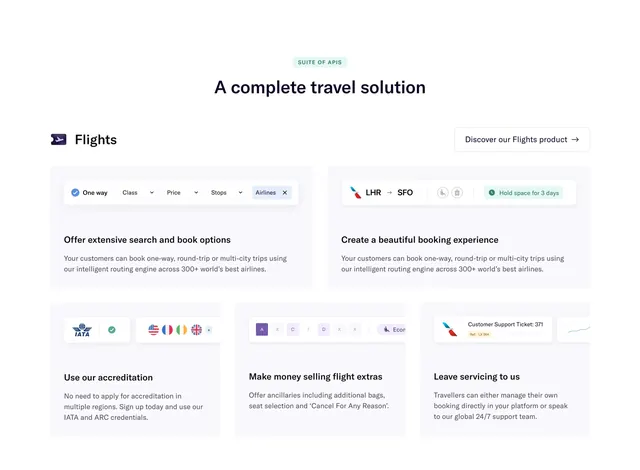
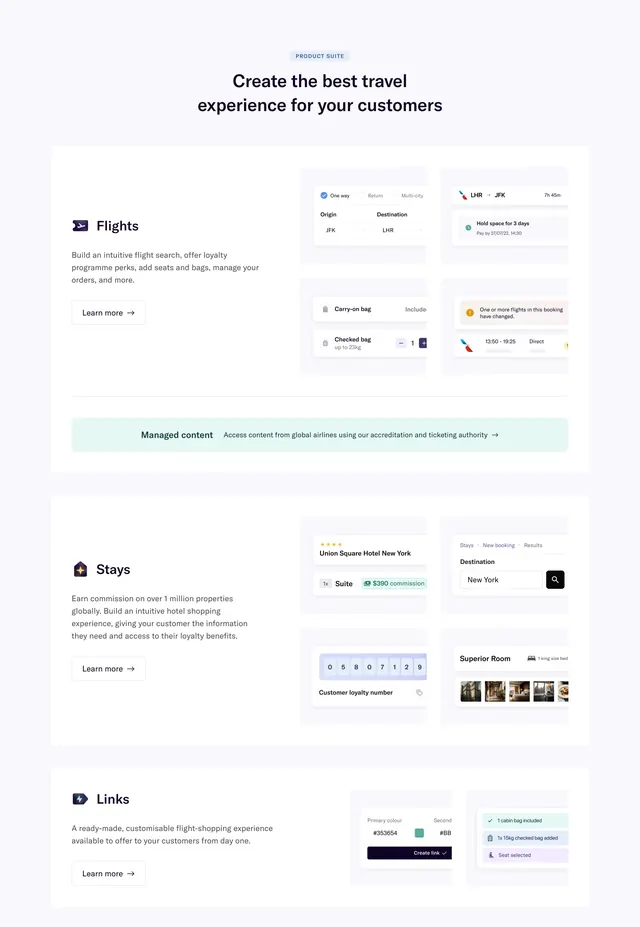
Links product integration section explaining generate, embed, and receive bookings with UI mocks for brand setup and flight selection.
Visual description
Light background with soft radial glow. Blue "INTEGRATION" pill and headline "The fastest way to start selling flights." Left: three numbered steps with grey number squares and bold subheads (Generate link, Embed into your website, Receive bookings). Right: overlapping cards showing "Add your brand" form (logo URL, primary/secondary colors, markup fields, Create link button) over a flight results window with airline logos, routes, and expanded itinerary detail.
Key takeaway
Numbered steps paired with the exact UI users will configure and customers will see. Overlapping mocks communicate end-to-end flow in one glance.
Reuse notes
Ideal for low-code or embed products. Requires polished UI captures for both admin and consumer views.
More process sections
See all
More like this
Keep what you find
A free account saves references to boards and can send you a weekly email of picks based on what you save.
To see every result, go Pro.