Preview image. Unlock full-res
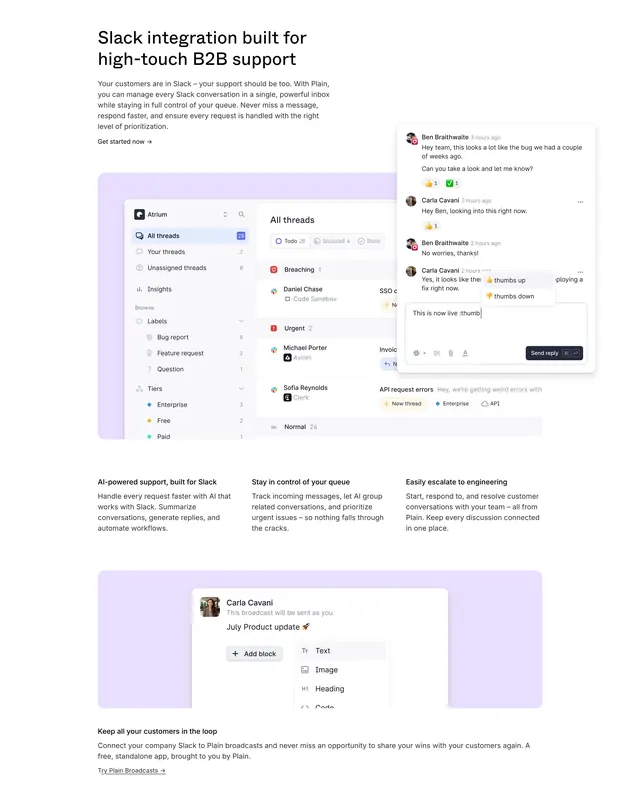
Light product page section stacking a large Slack inbox mockup, three-column feature copy, and a broadcasts editor preview on lavender panels.
Summary
A long-form Plain product section selling Slack integration through a full inbox screenshot, three supporting feature columns, and a broadcasts block editor teaser.
Visual description
White page with a large black headline "Slack integration built for high-touch B2B support" and gray body copy ending in a "Get started now ->" text link. Below, a wide lavender rounded panel holds a detailed Plain dashboard mockup: left sidebar with thread counts and labels, a prioritized queue grouped by Breaching, Urgent, and Normal with company logos, and a floating Slack-style reply overlay showing emoji reactions and autocomplete. Three equal columns follow with short headings on AI support, queue control, and engineering escalation. A second lavender panel shows a Broadcasts editor with block types (Text, Image, Heading, Code) beside copy about customer updates and a "Try Plain Broadcasts ->" link.
Key takeaway
Lavender product panels frame dense UI screenshots without heavy borders. Pair one hero screenshot with a tight three-column explainer, then repeat the pattern for a secondary feature. Text-link CTAs keep the section editorial rather than salesy.
Reuse notes
Strong template for integration or feature-detail pages where the UI is the proof. Needs a real product capture; placeholder dashboards will feel hollow. Works on light backgrounds only.
More integrations sections
See all



More like this
Keep what you find
A free account saves references to boards and can send you a weekly email of picks based on what you save.
To see every result, go Pro.