Preview image. Unlock full-res
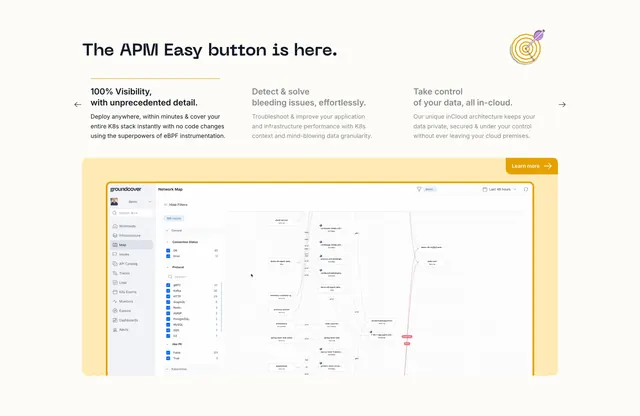
Light feature section with a monospaced headline, a three-column carousel of value props, and a large network-map dashboard in a yellow frame below.
Summary
A feature section that stacks a three-column carousel of selectable value props above a large product dashboard screenshot set inside a soft yellow, dotted-texture frame. The defining move is using the active column as a tab that drives the dashboard shown below.
Visual description
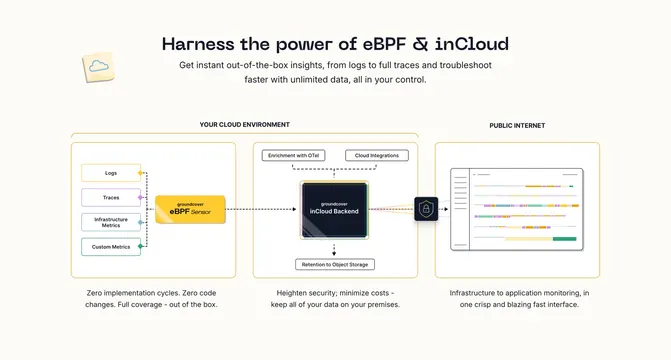
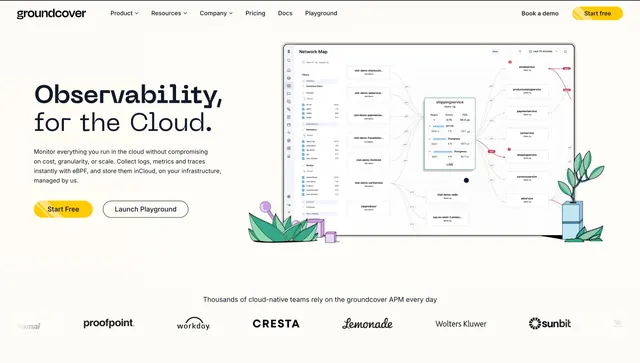
A monospaced headline "The APM Easy button is here." sits top-left with a small target illustration top-right. Beneath, three columns share a thin yellow top rule: the first ("100% Visibility, with unprecedented detail.") is active in full black with the rule highlighted, while the other two are dimmed grey. Left and right chevron arrows flank the row, implying a carousel. Below, a large rounded panel with a pale yellow fill and a faint dotted texture holds a full screenshot of the groundcover product: a "Network Map" view with a left nav, a filter sidebar with checkboxes and counts, and a graph of connected service nodes. A yellow "Learn more" pill button sits at the panel's top-right.
Key takeaway
Turning the three value-prop columns into tabs, marked only by which one is black versus grey plus a highlighted top rule, ties the copy to the product view without extra chrome. The pale yellow dotted frame gives a dense dashboard a warm, branded container instead of a bare drop shadow.
Reuse notes
Ideal for technical or observability products that need to show a real, busy interface while guiding attention through it. Requires a genuinely legible dashboard capture; a cramped or low-res screenshot undermines it. The framed-screenshot pattern pairs well with the same brand's monospaced headlines and yellow accent elsewhere.