Preview image. Unlock full-res
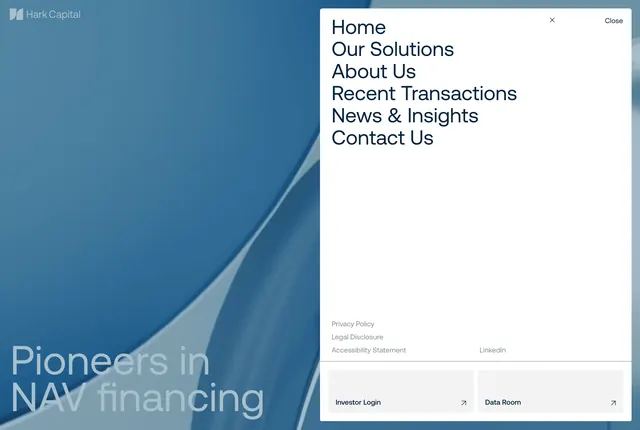
Split-screen menu overlay with blurred blue hero left and white right panel listing primary links, legal links, and investor utility buttons.
Summary
Expanded navigation overlay showing six large navy links on a white right panel over a blurred Pioneers in NAV financing hero on the left.
Visual description
Split viewport: left half shows blurred teal-blue abstract background with faint Hark logo top and large translucent Pioneers in NAV financing headline bottom. Right half solid white with Close control top right. Six stacked large navy sans links: Home through Contact Us. Smaller gray legal links below (Privacy, Legal Disclosure, Accessibility, LinkedIn). Bottom two light gray buttons for Investor Login and Data Room with corner arrow icons.
Key takeaway
Keeping hero visible but blurred under menu to maintain site context. Separating investor utilities into distinct bottom buttons rather than mixing with public nav.
Reuse notes
Works for low-link-count corporate sites. Long nav lists will overflow the fixed white panel.
More navbar sections
See all




More like this

Keep what you find
A free account saves references to boards and can send you a weekly email of picks based on what you save.
To see every result, go Pro.