Preview image. Unlock full-res
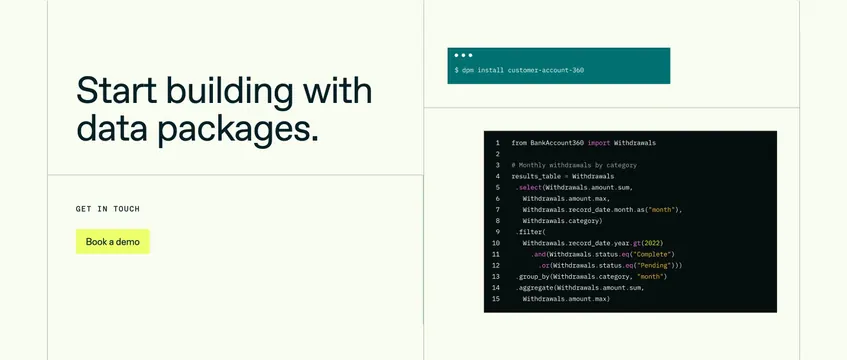
Light grid-split CTA with oversized headline and lime demo button on the left, terminal install and Python query on the right.
Summary
A pale grid-section CTA that leads with Start building with data packages and proves the product with install and query code on the right.
Visual description
Soft off-white background segmented by thin light gray grid lines into quadrants. Left side: large bold dark headline Start building with data packages. spanning the upper left cell; lower left holds a small monospace GET IN TOUCH label and a bright lime-green Book a demo button with dark text. Right side stacks two dev visuals: a compact dark teal terminal with window dots and $ dpm install customer-account-360, and below a larger black code editor showing 15 lines of pink-and-yellow syntax-highlighted Python querying a Withdrawals data package with filters and group_by. No nav or footer visible; the section is self-contained conversion plus product demo.
Key takeaway
The grid-line frame that turns marketing copy and code into one composed panel without a card container. One CLI line plus one real query snippet is enough to sell technical depth beside a single loud CTA.
Reuse notes
Works for bottom-of-page or mid-page developer CTAs where demo booking is the goal. Lime button needs contrast discipline on pale backgrounds. Right-column code must stay readable at capture width; overly long snippets will shrink illegibly.